

You want to fix your price list. You need to remove a staff member who has left. You have the text for a news post ready but are too busy to publish it. Some of you may be leaving these changes undone because you worry that opening the admin screen will break the layout.
You can outsource changes like these to a website update service. But if you assume that “we’re on a monthly maintenance plan, so we can ask for anything,” you and the provider may not agree on extra fees or publishing dates. Start by breaking down the work you want to hand over and explaining each part.
A website update service changes your website’s content, such as text, photos, and news posts. Prepare the places you want changed, the finished content, and your preferred publishing date, then agree on the number of requests, work hours, and how changes will be checked before you place the request. This is a different scope from maintenance, which keeps the site running, and from updating WordPress itself. For new pages or design changes, check first whether they count as minor replacements.
Separating Content Updates, Maintenance, and WordPress Updates
The same word “update” can mean changing different things
If you just say “we’d like an update,” the provider can’t tell whether you want to post news or upgrade WordPress to a new version. At the start of the conversation, separate them as follows.
| Term | Main target | Example requests |
|---|---|---|
| Content update service | Information visitors read | Replacing business hours or photos, posting news |
| Maintenance and operations | A general term for work that keeps the site running | Depending on the contract, fixes, monitoring, reports, etc. |
| Updating WordPress core and plugins | The software that runs the site | Updating to new versions and checking that everything works |
The name “maintenance” alone does not tell you whether content updates are included. Check the list of tasks in the contract. For overall maintenance costs, see website maintenance costs. For how much of your server contract and upkeep you can hand over, see outsourcing server management.

Work You Can Request, and Work That Usually Needs a Separate Quote
Where replacing ends and adding begins
Putting finished text into an existing layout is a request that’s easy to define clearly. Work that involves planning structure or adding features also takes design and production time.
| Task | What to provide when requesting | Condition that marks the boundary |
|---|---|---|
| Replacing text or a price list | The wording before and after the change, and the effective date | Whether a longer text also requires changing the layout |
| Replacing photos | Where it appears and which image to use | Whether cropping, compositing, or a photo shoot is also needed |
| Posting news | Title, body text, images, publishing date | Whether you want them to handle writing or interviews too |
| Changing staff profiles | Who to add or remove, and the finalized profile text | Whether new profile slots or reordering are needed |
| Adding pages | The content to include and how it relates to existing pages | Whether to use an existing template or design a new one |
| Design changes | The purpose, the area to change, reference screens | Whether the layout and smartphone display also need to be rebuilt |
Even “changing one photo” takes different amounts of work depending on whether it includes brightening a dark photo. If you want them to pick the image too, give them the candidates you have and ask about the fee for selection and editing.
Adding a news post and creating a new service page are also different jobs. Don’t assume “they’re both one page, so the price is the same.” Compare them by which of the text, structure, and design the provider has to prepare.
If prices or business hours appear on multiple pages, make a list of where they appear. If only the table on the screen is fixed and an old price remains in a PDF brochure, visitors will be confused. Decide whether the request also includes checking related pages and documents.
Look at Unit Prices Together with How Work Is Counted
Per request, monthly with a request limit, or hourly
Compare pricing types based on how often you update and how ready your text is. The categories below are a guide for reading quotes, and conditions differ between providers.
| Pricing type | Situations it suits | Conditions to check first |
|---|---|---|
| A quote for each request | Requests are irregular, such as a few times a year | Minimum fee, how tasks are grouped, how revisions are handled |
| Monthly plan with a set number of requests | Similar replacements every month | What counts as one request, the limit, whether unused requests carry over |
| Hourly | The volume and type of work vary from month to month | Billing unit, estimated time, notice before going over |
If you decide based only on “X times per month,” it’s easy to assume you can fix any number of pages by grouping them into one request. Ask whether one request is counted by the place being changed or by the request, and whether back-and-forth for checking is included. Agree that for extra work, the provider will tell you the price and schedule before starting.
Ask them to include in the quote their usual turnaround time and how they handle urgent requests. Even with the same amount of work, changes may not go live on the planned date if your text isn’t ready by the deadline. For a monthly contract, also check the request deadline, what happens if your reply to a check is late, and how they handle holidays. This makes it easier to judge whether the service fits your company’s announcement schedule than comparing prices alone.
Make Your Request Cover “Where, What, and When”
Put the text and images into one request
With “Please update the price list,” the provider can’t tell which prices to use. The following items reduce back-and-forth for checking.
| Item | Example of how to provide it |
|---|---|
| Location | The page URL and a screenshot with the target circled |
| Finished content | The wording, prices, and notes before and after the change, side by side |
| Images | The original image files and a list matching each image to where it goes |
| Date and time | Your preferred publishing date and the date the information takes effect |
| Approver | The person in your company who approves the content and collects replies |
Giving text as a document they can copy, rather than embedded in an image, helps avoid copying mistakes. When you resend a revised version, add a date or version number to the file name and state clearly which one is final.
For photos, send the original files rather than small images pasted into an email body. After confirming within your company that you have permission to post them and the right to use them, also note any faces to hide and any products that must not be cropped out. If the images haven’t been decided yet, discuss it with the provider at that stage.
Agree on the order: receipt, applying changes, checking, publishing
After sending a request, check the cost and the planned date for applying the changes in the provider’s reply confirming they received it. Sending a request doesn’t guarantee it will be published the same day. For announcements with a fixed publishing date, request early enough to allow time for checking and sending back corrections.
Whether you can check the changes on a preview screen or draft, or check after they are published directly, depends on the work and how the site is built. For content you want to check before publishing, such as a price revision, tell them so in advance. If you ask for scheduled publishing, also decide whose approval confirms the schedule.
Tell the provider separately when you changed the text after checking and when the changes didn’t match the text you provided. For the first, check with the provider whether it counts as extra work. For the second, check how it will be fixed. If several people in your company are checking, combining their comments before replying keeps work from stalling over conflicting instructions.
When checking, look at the wording you requested as well as how it appears on smartphones, how images are cropped, and related links. After publishing, open the page yourself to make sure no outdated information remains, and keep a record of the completion notice.
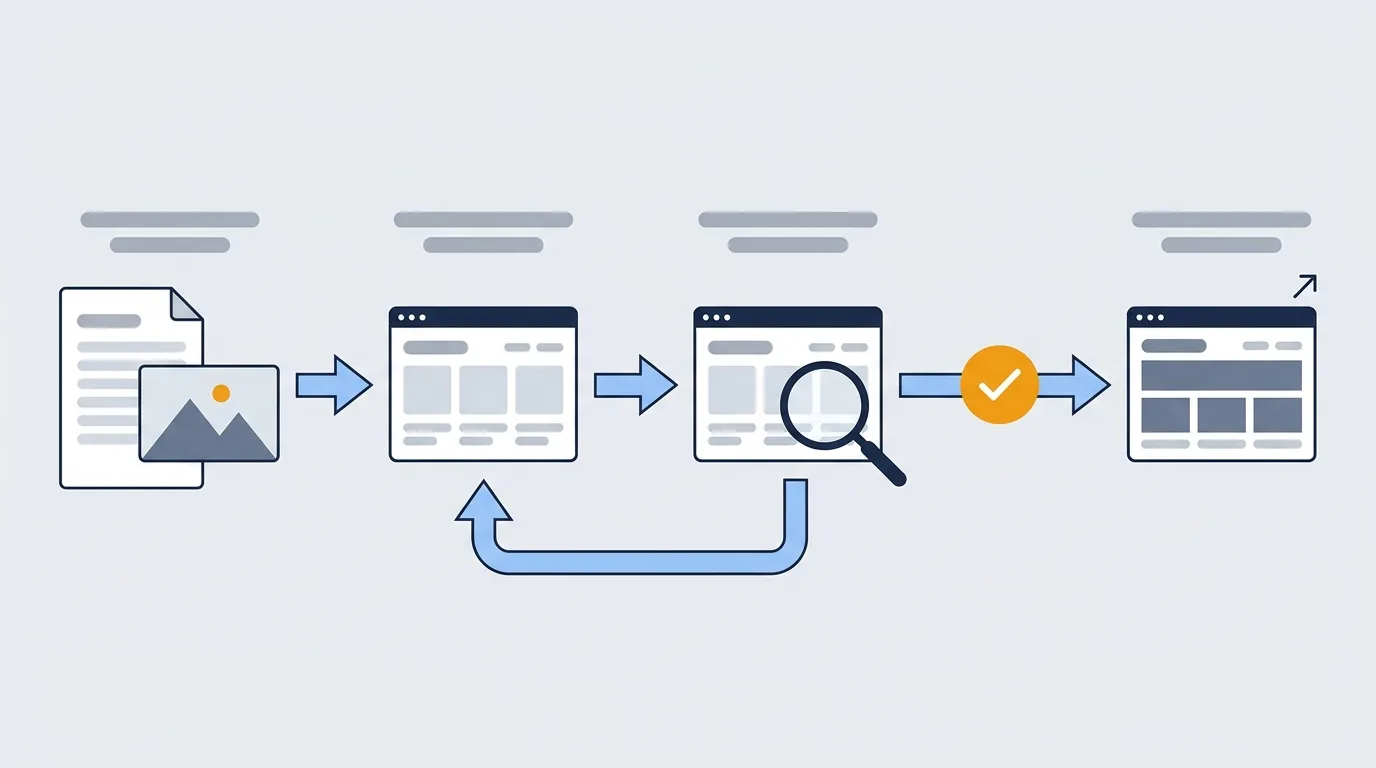
Decide What to Handle Yourself Based on How Often You Update and How Much Checking It Takes
You don’t have to outsource everything
One option is to post weekly news in-house and outsource changes involving price lists or layout. Base the decision on how often you update, whether you can edit in the admin screen without getting lost, and whether you have time to check how things look after making changes.
If you’re thinking about posting yourself, check how it works in basic WordPress operations. If it’s hard to tell where to edit, it’s easier to sort out what you can edit in the CMS with your web design company before learning the operations.
Another approach is for your in-house staff to prepare a draft and the provider to tidy up the display and publish it. In that case, set up how you’ll tell each other who is working on what so that you don’t edit the same page at the same time. This prevents the provider from overwriting your in-house fixes with older text.
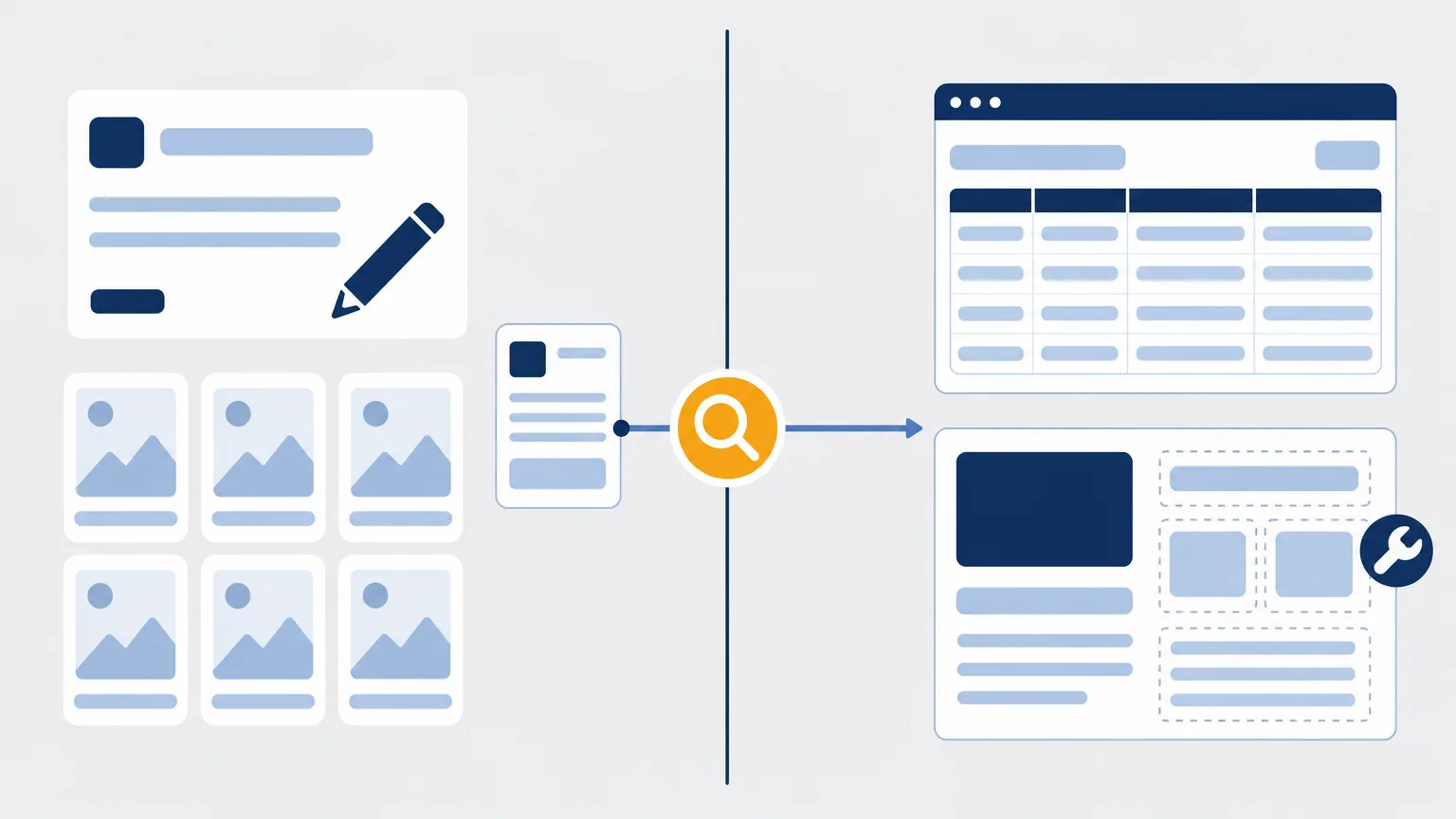
Before Signing, Decide How Accounts and Work Records Are Handled
Keep things checkable even if the person in charge changes
Even when you outsource updates, keep track of the accounts and contract details your company manages. Discuss setting up a dedicated account for the provider with only the permissions it needs. If you keep using a shared administrator account, it becomes hard to trace who made which changes.
- How login details will be handed over, and who removes access when the contract ends
- Where to record the update date, the place changed, the request details, and the approver
- Whether a backup is taken before work, and the scope and cost of restoring it
- Contact details when the person in charge is away, and the hours when regular requests are accepted
- The text, images, and work records you receive when the person in charge changes or the contract ends
Having a backup doesn’t mean you can restore to any point in time. Check how often backups are saved, where they’re stored, and whether a copy is taken right before each update. For sites that take bookings or orders, you also need to discuss whether restoring the whole site would affect information that came in after the update.
When the person in charge changes, hand over a list of unpublished requests and text waiting to be published. Don’t leave things at “someone has been asked to do it.” Recording whose check you’re waiting on next makes the handover go smoothly.
Frequently Asked Questions
- Can I request updates for a site made by another web design company?
-
The provider decides after checking the site’s structure and how it is edited. What they can handle depends on whether there’s an admin screen, what system the site uses, and any contractual restrictions. Ask whether they can take it on and whether there’s a fee for the initial review.
- Can you create a news post even if I don’t have the text?
-
Check whether they can also do the writing. Posting finished text and writing it from an interview are different scopes. Give them the facts you want to share and the publishing date, and also decide who will check the text.
- Can I carry over unused requests to the next month?
-
Whether they carry over depends on the contract. Also check the limit when you send several changes at once and the fee for work beyond the set number of requests.
Summary
- Separate the work you want to outsource into content updates, site upkeep, and software updates
- Compare pricing by how requests or hours are counted and whether writing and image editing are included
- Prepare the page location, finished text, images, preferred publishing date, and an approver in your company
- Decide how publishing is approved and how work records and accounts are handed over
Before requesting, pick one update that has been put off and prepare the target page and the new text. Using that one request as a baseline makes it easier to estimate how much you’ll request each month. If you’re looking for a provider, see our maintenance and operations support as well.







