
“Can you take care of server management for us too?” After a website goes live, this is one of the questions we hear most often.
However, what people mean by “server management” varies enormously from person to person. Some mean making sure contract renewals aren’t forgotten; others expect recovery when something goes wrong. If you start paying a monthly fee before this is aligned, you end up either with the complaint “We pay every month and they don’t do anything,” or with the opposite mismatch: “That’s outside the contract.”
In this article, drawing on our hands-on experience as a web production company, we sort out what outsourced server management includes, which tasks you don’t need from the start if you use a rental server, and where the line falls between outsourcing and handling it in-house.
If you use a rental server, most of the work called “server management” is already included in the price. What’s worth paying an outside company for is not looking after the server itself, but buying “a state in which someone is watching”. The deciding factors are two: (1) whether someone in your company can notice renewals, outages, and tampering, and (2) how many minutes you need to respond within when the site goes down. If neither of these worries you, outsourcing is often unnecessary.
What’s Called “Server Management” Breaks Down into Four Layers
The words may be the same, but each layer requires different people and different costs. Start by separating them.
| Layer | What it covers | With a rental server |
|---|---|---|
| (1) Infrastructure | OS and middleware updates, hardware failure response, backup infrastructure | Done by the provider (included in the monthly fee) |
| (2) Contracts | Domain and server renewals, payments, maintaining registration under your name | In-house or outsourced |
| (3) Application | Updates to WordPress core, themes, and plugins; fixing malfunctions | In-house or outsourced |
| (4) Monitoring & recovery | Detecting outages and tampering; isolating and recovering from failures | In-house or outsourced |
If you sign up for “server management outsourcing” without making this distinction, you end up paying twice for (1).
On shared rental servers such as Xserver, ConoHa WING, and Lolipop, (1) is already included in a monthly fee of around ¥1,000. The provider quietly handles OS updates and hardware replacement. There’s no reason to pay extra for this.
If you’re quoted ¥10,000 or more per month as a “server maintenance fee” and the breakdown is mostly about (1), be careful. Listing (1) as a paid item on a rental server is charging for something that isn’t actually being done. We cover this in more detail in How Much Should Server Maintenance Cost?.
Key point so far: What’s worth paying for is (2), (3), and (4), not (1).
What’s Worth Outsourcing Is the “Noticing”
When you list (2) through (4), the actual amount of work isn’t large. Updating a plugin is just pressing a button, and contract renewals are handled if you turn on auto-renewal.
The reason outsourcing still makes sense is that the hard part isn’t the work itself but noticing that something needs attention.
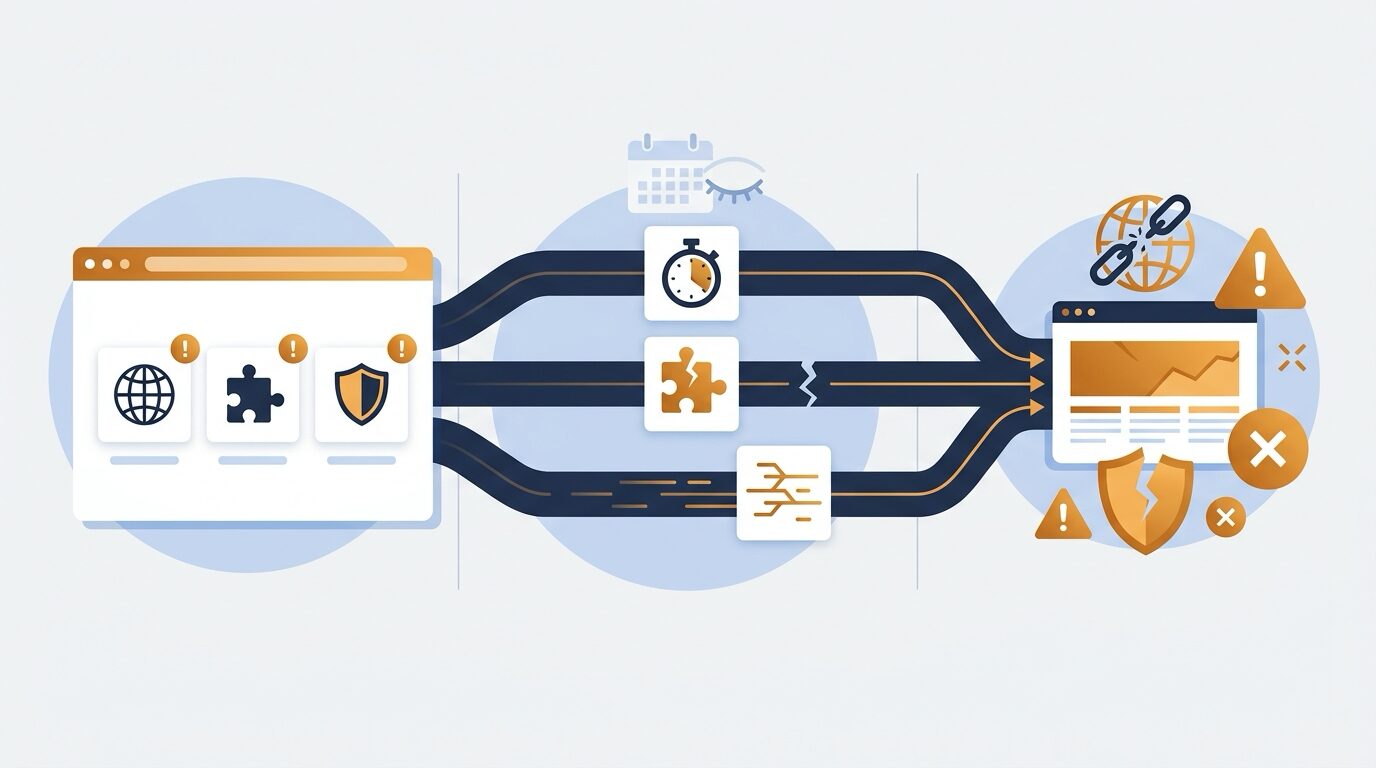
Three Incidents That Progress Unnoticed
- Domain expiration — The credit card’s expiration date changed, and auto-renewal failed. Nobody notices until the site can no longer be viewed
- Neglected plugins — Update notices appear in the WordPress admin dashboard, but no one logs in, so no one sees them. Six months later, a known vulnerability is exploited
- Tampering — The site looks the same, but unfamiliar pages appear only in search results. You can’t spot this yourself
None of these cause problems the moment they happen. The trouble comes months later, by which point identifying the cause takes a long time.
Your Acceptable Downtime Determines the Level You Need
When deciding what level of outsourcing you need, starting from cost won’t get you to an answer. First decide how long your site can afford to be down.
| Acceptable downtime | Required setup | Realistic choice |
|---|---|---|
| A few days | Whoever notices gets in touch | No outsourcing; check in-house once a month |
| One business day | Reachable during weekday business hours | Monthly maintenance contract |
| A few hours | Constant monitoring and weekend/holiday support | Monitoring service + maintenance contract |
For a corporate website that mainly introduces your company, the honest truth is that “a few days of downtime won’t hurt sales.” On the other hand, a site where reservations and inquiries directly drive sales should be placed in the one-business-day tier.
Handling It In-House Requires “Procedures,” Not “People”
It’s easy to think, “No one in-house understands this, so we’ll outsource.” But (2) through (4) involve almost no technical difficulty. What’s missing isn’t knowledge; it’s that no day has been set for doing the work.
Compile the domain registrar, server provider, renewal months, payment card, and admin dashboard URLs into one table. The goal is to make it something that can be handed over even if the person in charge changes. For how to think about registration ownership, see Why You Should Own Your Domain and Server in Your Company’s Name.
Log in to the admin dashboard and look at only three things: whether there are update notices, whether backups are being made, and whether emails actually arrive from the contact form. It takes 10 minutes.
It’s enough to decide the order: “Take a backup before applying updates” and “Roll back if the layout breaks.” We’ve summarized the procedure in WordPress Backups.
Decide in advance who you’ll contact when something breaks. For this part alone, a one-off (spot) contract is fine.
Even a 10-minute check once a month is a world apart from doing nothing.
If these four things are running, you can prevent almost all major incidents without outsourcing. Conversely, even with outsourcing, if none of these four is anyone’s job, incidents will happen just the same.
Five Points to Check Before Signing a Contract
If you decide to outsource, confirm the following five points in writing before looking at price. Contracts that are vague on these are the ones that cause the most disputes later.
- Support hours — Weekdays 9:00–18:00, or including weekends and holidays? Roughly how many hours from contacting them until they start work?
- Included work — How many update sessions per month? How far does “fixing malfunctions” go? (A common arrangement is that investigating the cause is included but the fix itself is billed separately)
- Excluded work — Design changes, new pages, and new features are usually billed separately. Separate these in writing
- Backups — What is backed up, where, how many generations, and how often? Have they ever actually tested a restore?
- Handover on cancellation — How will server and domain access be returned to you when the contract ends?
The last point in particular is often overlooked. If the outsourcing company registered the domain in its own name, you’ll be stuck when you want to switch providers. We’ve written about what to do when this actually happens in When You Can’t Reach Your Previous Web Production Company.
Even at the same “¥15,000 per month,” a contract limited to one update session a month and a contract that responds to outages on weekends and holidays are completely different things. What you should compare isn’t the price, but a table with the five points above filled in.
Typical Costs and Our Approach
Market rates vary widely, but organized by what’s included, they look like this.
| What’s included | Typical monthly cost |
|---|---|
| Contract renewal management only | ¥0–3,000 (often handled well enough in-house) |
| Update work + weekday point of contact | ¥5,000–15,000 |
| The above + monitoring and weekend/holiday support | ¥15,000–40,000 |
For corporate websites running on a rental server, we recommend first trying to operate without outsourcing. Try the “10 minutes once a month” routine above for three months, and if it doesn’t work out, signing a contract at that point is soon enough.
If you sign a contract first, you can end up with periods where you assume “we’re paying, so we’re fine” while nobody is actually watching. The most dangerous situation isn’t having no outsourcing; it’s believing your outsourcing has you covered when no one is actually watching.
Frequently Asked Questions
- Do I need a server maintenance fee on top of the rental server’s monthly fee?
-
Not for the infrastructure layer (1). That’s included in the server provider’s monthly fee. What you need to decide is who will look after the site side (3 and 4), such as WordPress updates and responding to outages.
- Is it better to use the company that built the site, or a company that specializes in maintenance?
-
Because they know how the site is built, the web production company can isolate problems faster. However, building new sites is a production company’s core business, so if you need weekend/holiday support or recovery within a short time, a maintenance specialist is a better fit. Choose based on how long your site can afford to be down.
- We currently handle it in-house, but the person in charge is leaving. Where should we start the handover?
-
Three things: the domain and server contract information, login access to the admin dashboards, and the payment method. As long as you have these three, you can hand the work to anyone later. If you lose them, though, you won’t be able to do anything even though the site is still running.
- If we cancel the outsourcing contract, will the site go down?
-
No. If the server contract is in your company’s name, the site will keep running as is. The only case where it would go down is if the domain or server contract itself is in the outsourcing company’s name. Be sure to check whose name they’re in before signing a contract.
Summary
Outsourcing server management is not about buying work, but about buying “a state in which someone is watching.”
- With a rental server, infrastructure management is already included in the monthly fee
- The value of outsourcing lies in being able to notice expirations, missed updates, and tampering
- The level you need is determined by how long your site can afford to be down. If a few days of downtime is acceptable, outsourcing is often unnecessary
- If you do sign a contract, confirm five points in writing: support hours, included work, excluded work, backups, and handover on cancellation
If you’re not sure which layers your company is currently able to handle itself, we can work through an inventory of your contract information together. Please reach out via our contact form.







