

“Everyone was talking about it, so I signed up for ChatGPT just to see. I asked it a few questions, but I haven’t opened it since.” Has your use of generative AI stalled at this point? Some companies are in a similar spot: the president signed up and encouraged employees to use it too, but nobody knows who is using it or for what.
Not using it does not necessarily mean the AI isn’t useful. In many cases, the cause is that people started trying it without deciding what to use it for. It may be fun to ask questions, but if you can’t see where it fits into your own work, you have no reason to open it during busy days. This article lays out the first three steps for moving from “signed up and stopped” to “using it regularly as part of your work.”
There are three things to do first: (1) Decide how accounts will be held and set rules for what information may be entered. (2) Choose just one task that comes up every week and whose results you can judge yourself. (3) Create a place to share prompts that worked well inside the company, and set aside time once a week to look back. Pushing forward with one task until you feel “I can’t do without this” will help AI take root in your company faster than trying to roll it out company-wide all at once.
Why Does “Signed Up but Not Using It” Happen?
The reasons generative AI stops being used generally fall into the following three categories.
| Why it stalled | Typical situation | Where this article covers it |
|---|---|---|
| Not knowing what you may enter | You can’t decide whether it’s OK to enter customer names or internal figures, so you stop | Step 1 |
| Not knowing what to use it for | You used it for small talk or looking things up, but it never connected to your work | Step 2 |
| It stays an individual experiment | Some people use it, but their methods don’t spread within the company | Step 3 |
The first is hesitation caused by having no rules. If you stop using it every time you hesitate, you eventually stop opening it at all. The second happens when you think about uses starting from “what can AI do?” It can do so many things that you end up unable to choose. You need to reverse the order and start looking from “which parts of my work can I hand over?” The third is when the tips one person has worked out stay with that person and never reach the rest of the company.
None of these have anything to do with the AI’s performance or how hard it is to operate. All of them can be resolved just by adjusting how you get started.
Step 1: Prepare Your Accounts and Decide on Settings First
Whose name, and which account?
The first thing to decide is whether the company will use it as a company or employees will use it individually. If employees each use their own personal accounts, the company cannot take over the conversation history when someone leaves, and the company cannot see what information has been entered.
Besides individual plans, ChatGPT has business plans that let an administrator add and remove members. If you are at the stage of trying it with the first few people, it’s fine to start with an individual plan. Even then, decide “this is the account used for company work” and register it with a work email address, which makes things easier to sort out when you later switch to a business plan. Pricing and plan details may change, so check the latest information on the official website before signing up.
Check whether what you enter is used to train the AI
Next, check whether your settings allow the conversations you enter to be used to improve (train) the AI. In ChatGPT’s individual plans, the settings screen has an item under “Data Controls” that switches whether your conversations are used to improve the model (“Improve the model for everyone”). When you turn this off, new conversations from that point on are not used for training. According to OpenAI’s official help center, on business plans, what you enter is not used for training under the default settings (as of October 2026). Settings for Claude and Gemini, and the differences from business plans, are covered in detail in “How to Set Rules for AI Use in Your Company.”
However, turning off training does not mean you can enter anything. The setting is a “just-in-case safeguard”; the real safeguard is the input rules you decide on next.
Decide in advance what information may be entered, in three levels
The rules don’t need to be detailed. At first, three levels like the following are enough.
| Category | Examples | Handling |
|---|---|---|
| OK to enter | Text from your already-published website, general work questions, drafts with the company name hidden | Use freely |
| OK to enter once modified | Exchanges with customers, internal meeting notes | Replace names, company names, and amounts with “Company A,” “X yen,” etc. before entering |
| Do not enter | Individuals’ addresses or phone numbers, My Number (Japan’s individual number), materials entrusted to you by business partners, passwords | Do not enter |
Put this table on a single sheet of A4 paper and hand it out to everyone who will use the tool. If you add one line—“When in doubt, leave it out; when in doubt, ask”—people will get stuck hesitating far less often.
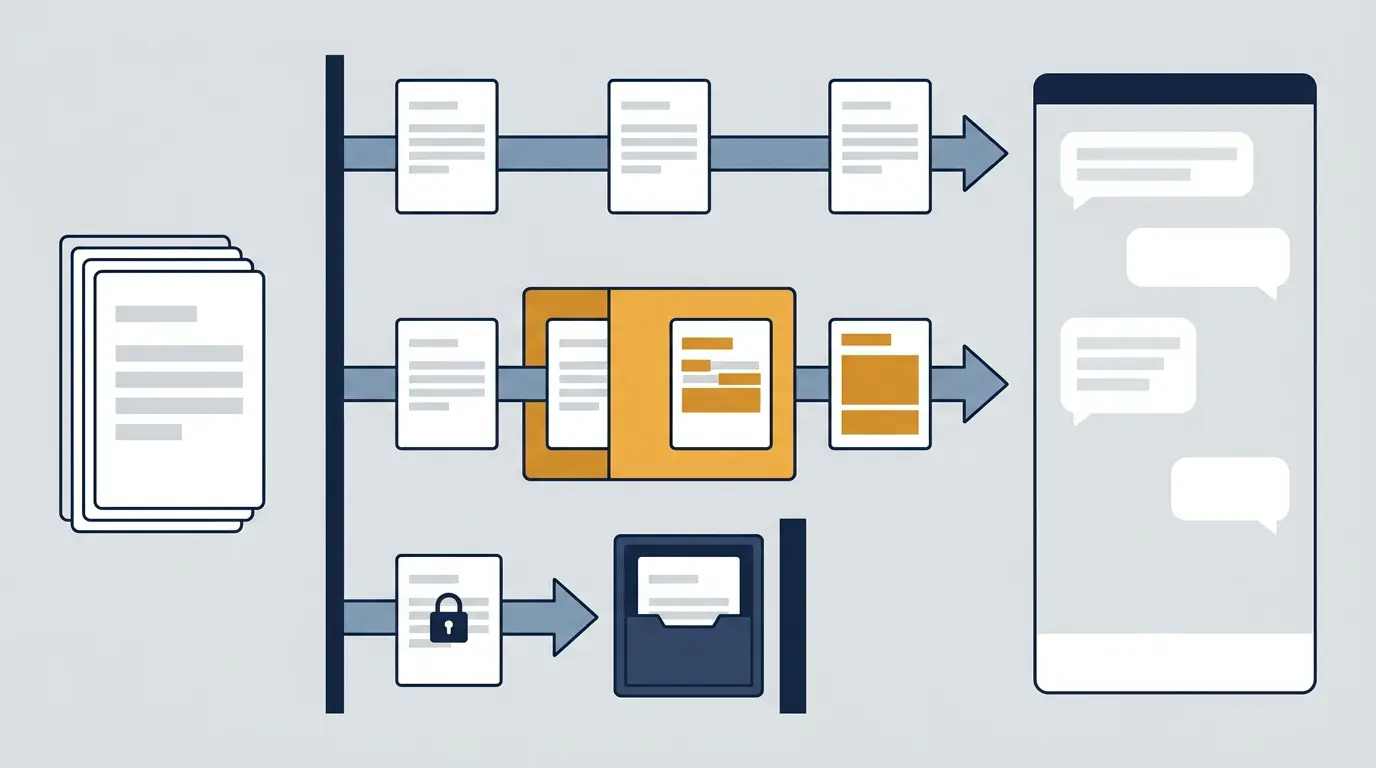
Step 2: Choose Just One Task to Try First
Three conditions for choosing
The common mistake when choosing the first task is picking something that looks like it would have a big impact. For example, “having AI come up with a sales strategy” makes it hard to judge whether the result is good or bad, so trying it leaves you with no sense of whether it worked. At first, choose a task that meets the following three conditions.
- It comes up almost every week (a task that happens once a month gives you too few chances to try)
- It centers on writing, summarizing, or polishing text (the work generative AI is best at)
- You can judge for yourself whether the result is good or bad (unless it’s a task where you can spot mistakes, checking takes too long)
Tasks that are a good fit, and tasks that are too early
| Tasks that are a good fit | Reason |
|---|---|
| Drafting emails to business partners and adjusting the wording | Happens every day, and you can judge the quality of the result yourself |
| Turning meeting notes into proper minutes | The material is already at hand, and it’s easy to check whether the content is correct |
| First drafts of job postings, announcements, and product descriptions | Reduces the time spent writing from a blank page |
| Getting the main points of long documents or terms first | Can be used as a map before you read the original yourself |
| Tasks that are too early | Reason |
|---|---|
| Legal, tax, or medical judgments | Errors are hard to notice and have a large impact |
| Looking up the latest figures, prices, or systems and using them as-is | The information may be outdated or wrong |
| Text sent to customers as-is without checking | Even if content that differs from the facts slips in, it reaches them unchanged |
Generative AI is good at producing plausible-sounding text, but it can also naturally mix in content that differs from the facts. If you divide the work as “AI drafts, people check and send,” this weakness becomes almost a non-issue.
How to try it in the first week
For one week, make a conscious effort to use AI for the task you chose. Just including the following four elements in your request will change the results significantly.
- Role: “You are in charge of general affairs at a regional construction company.”
- Purpose: “I want to apologize to a business partner because delivery will be one week late.”
- Material: The reason for the delay, the new delivery date, and your relationship with the other party (e.g., a long-standing business partner)
- Format: “As an email body, about 100–150 words. In a polite but not overly stiff tone.”
Even if the first attempt doesn’t produce the text you wanted, it’s important not to stop there. If you follow up with requests like “a little shorter” or “put the apology at the beginning,” it gets close to a usable form within two or three exchanges. If you think of it not as a tool that produces a finished piece in one go, but as a tool you refine through back-and-forth, your assessment of it should change.
If you can’t decide which task to start with, or if you’re unsure about using it and can’t take the first step, our AI Adoption and Business Improvement Support offers 60-minute one-on-one lessons. They cover everything from the basic operation of ChatGPT and similar tools to where they fit into your work.

Step 3: Small Systems to Keep It Going in the Company
Once you can use it on your own, the next stage is spreading it within the company. You don’t need to launch large-scale training or an implementation project here. What you need are the following three small systems.
1. A place to keep prompts that worked well
Create one place in your company chat or shared folder for “AI prompt notes.” Whenever someone finds a prompt that worked well, they simply add three lines: the task, the wording of the prompt, and points to watch out for.
Task: Apology email for a delivery delay
Prompt: “You are the person in charge of [role]. Write an email of about 100–150 words conveying [message].”
Caution: Always re-enter dates and amounts yourself
Once about 10 of these three-line notes have built up, new users no longer need to think from a blank page. Because these are prompts actually used in the company, they fit your work better than sample text found online.
2. Look back for just 15 minutes once a week
At the end of a morning meeting or regular meeting, set aside just 15 minutes. Talk about only two things: “what AI made easier this week” and “what didn’t go well.” Examples that didn’t go well are just as important. If someone shares that “this way of using it produced a lot of mistakes,” others can avoid making the same mistake.
3. Decide who to ask when you’re stuck
Make the person in the company most familiar with the tool the go-to advisor. They don’t need to be an expert. Simply having someone to take small questions like “I wasn’t sure whether I could enter this” or “I don’t know how to word my request” reduces the number of people who give up partway. For times when the advisor also isn’t sure, it’s a good idea to have them also be in charge of reviewing the input rules table created in Step 1.

Common Stumbling Points After You Start
- There are other generative AI tools besides ChatGPT. Which one should I choose?
-
For your first one, it’s fine to choose whichever is most talked about in your company, or one that works easily with the email and document services you already use. That’s because for basic uses such as drafting and summarizing text, there tends to be little difference whichever you choose. Rather than trying several at once, you’ll understand the differences better by getting a feel for how to use one first and then comparing. The approach to choosing is summarized in “ChatGPT, Claude, or Gemini: Which Should Your Company Use?“
- It seems employees are using their own personal accounts without permission. Should we ban it?
-
Banning it outright tends to just push the use out of sight. First, present the input rules from Step 1 and make clear the scope within which the company allows use. Then it’s more realistic to create a path for them to move over to company accounts.
- Can I use the text the AI produces as-is?
-
For internal notes it’s unlikely to be a problem, but always have a person reread any text that goes outside the company. In particular, with dates, amounts, people’s names, and details of systems, the AI can write incorrect content in a plausible way.
Reviewing the Three Steps as a Whole
Finally, here is a side-by-side list of what to decide in each of the three steps.
| Step | What to decide | Rough time |
|---|---|---|
| 1. Accounts and settings | The account the company will use, checking the training setting, three-level input rules | Half a day |
| 2. The first task | One task that comes up every week, centers on text, and whose quality you can judge | Try for one week |
| 3. Systems to keep going | A place for prompt notes, a weekly 15-minute review, a go-to advisor | Continue for one month |
Of these, the two things that are hard to decide within the company alone are “which task to start with” and “where to draw the line in the input rules.” If you’d like someone to think through how this applies to your own business, the brainstorming consultation in our AI Adoption and Business Improvement Support works with you to sort out what AI can and cannot solve.
Summary
When generative AI sits unused after signing up, it’s almost always a problem of how you got started, not of performance or operation.
- Decide on the account “the company will use,” and check the setting for whether your input is used for training
- Decide in three levels what information may be entered, and share “When in doubt, leave it out; when in doubt, ask”
- For the first task, choose just one that comes up every week, centers on text, and whose quality you can judge yourself
- Include the four elements “role, purpose, material, format” in your requests, and refine through back-and-forth
- Use three things—a place for prompt notes, a weekly review, and a go-to advisor—to spread individual know-how across the company
Start this week by choosing one “text you write every week” from your own work and asking AI to draft it. If you see results after keeping it up for a week, that becomes the first case for spreading it across the company.







