
More inbound visitors from overseas, inquiries from foreign business partners, starting to hire foreign staff: these are the kinds of triggers behind the requests we get to “make our website available in English too.”
The first thing we tell people is that you almost never need to translate every page. When multilingual projects fail, it is usually not because of translation quality but because the site can no longer be kept up to date.
This article sorts the options into three approaches and sets out what you need to decide how far to go.
Start by narrowing the pages you translate down to three to five. If you translate every page, you have to fix the translated side every time you update the Japanese side, and six months later you end up maintaining two sites whose content no longer matches. The real cost of going multilingual is not the build cost but the work that doubles with every update.
There are three approaches: choose by “update workload,” not by cost
| Approach | Initial cost | Update workload | How search treats it |
|---|---|---|---|
| ① Automatic translation widget | Almost zero | None | Generally does not appear in search results |
| ② Building static pages by hand | Medium | Increases by the number of translated pages | Appears |
| ③ Running it on a multilingual plugin or framework | High | Relatively light, since updates go through the plugin or framework | Appears |
① Automatic translation widget
You place a translate button on the page, and the translation happens in the visitor’s browser. It costs almost nothing, and the update workload is zero.
It suits cases where “it’s enough if overseas visitors who happen to land on the site can read it.” It does not suit cases where you want people overseas to find you through search. Because the translation is done only in the browser, the translated pages are not indexed by search engines.
Automatic translation gets proper nouns and industry terms wrong. Service names, product names and company names can be translated into unintended meanings, so after installing it, actually switch the language on at least your main pages and check them with your own eyes. If an error changes something like the units of the figures in a price list, it turns straight into trouble with inquiries.
② Building static pages by hand
A person builds the English pages. If you keep it to three to five pages, this is the most realistic option.
This is the setup we recommend. The reason is that with only a few pages, there are only a few places to fix when you update the Japanese side, so the operation doesn’t fall apart.
③ Running it on a multilingual plugin or framework
This means adding a multilingual plugin if you use WordPress, or the internationalization features if you use Next.js. If you have many pages and expect to keep updating both languages on an ongoing basis, this is the right answer.
However, if you have around ten pages, ② is enough. Adding a system increases what you have to maintain: plugin updates, bugs in language switching, broken layouts and so on.
Key point so far: The criterion is not cost but “how many pages, who will update them, and how often they can keep doing so.”
How to narrow down which pages to translate
If you aren’t translating every page, which ones do you translate? Narrow it down to only “the information the other party needs to make a decision.”
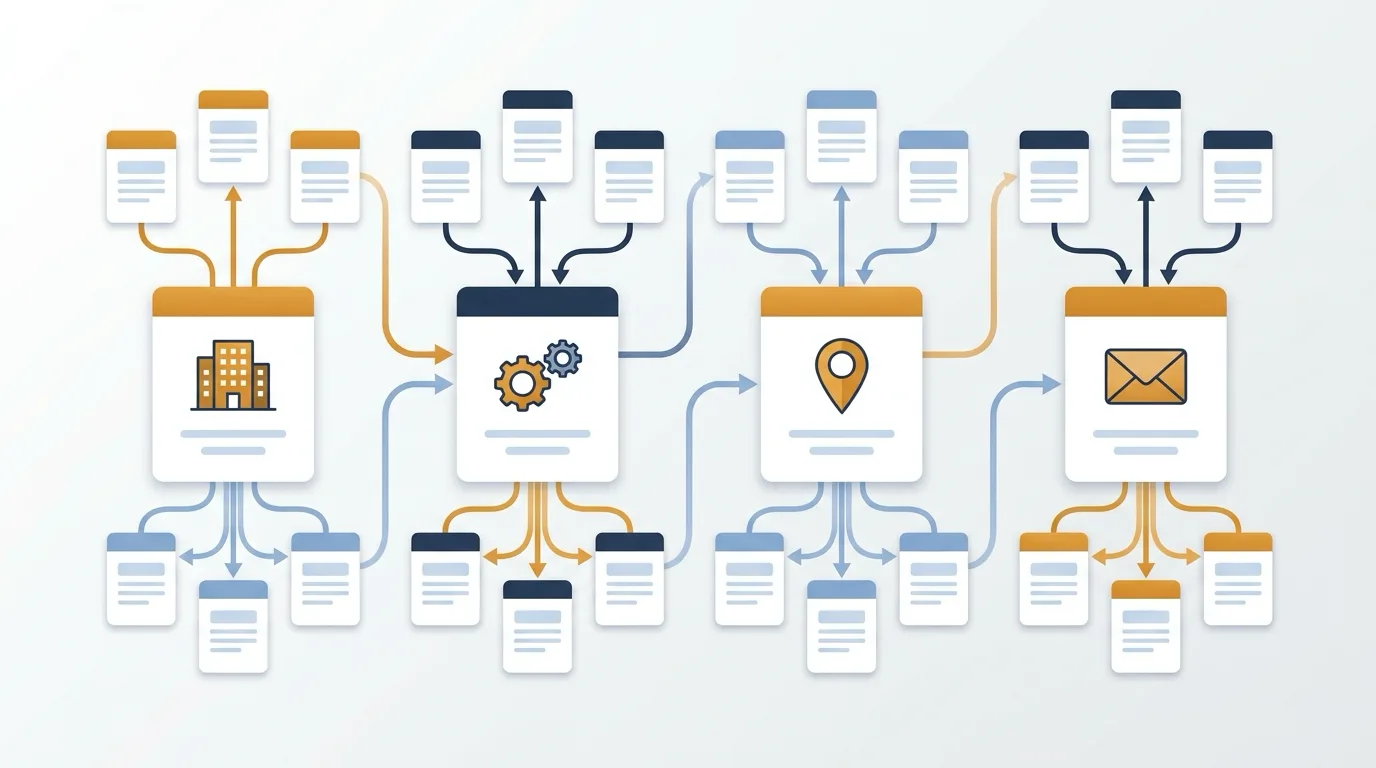
Keep it to one self-contained page: business activities, size, location and year founded. Rather than translating the Japanese company overview as is, restructure it to include only the information overseas readers need.
A list of services and products. Whether to show prices depends on the industry, but without a rough idea of “about how much it costs,” inquiries won’t come.
For a physical store: a map and directions, opening hours and payment methods. For B2B: the transaction flow and typical lead times.
An inquiry form. Make sure at least this form can accept inquiries in English. If you send people to a Japanese form, that’s where they stop.
If you keep it to these four pages, the places you need to fix when you update the Japanese side stay limited. The rest of the pages can stay in Japanese. People who can’t read them don’t need that information in the first place.
Having pages that aren’t translated is not a flaw. The problem is following an English link and suddenly landing on Japanese. Keep links from English pages within the English pages, and don’t send people to Japanese pages. That alone completely changes the impression.
Choosing URLs and what to set up
On the technical side, there are only three things to get right.
① Decide the URL structure
| Structure | Example | When it fits |
|---|---|---|
| Subdirectory | example.com/en/ | This, in most cases. Management and search ranking both stay consolidated in one place |
| Subdomain | en.example.com | When it runs on a separate server or under a separate operating team |
| Separate domain | example.com and example.co.uk | When each country has a separate legal entity or business |
For a small or mid-sized business going multilingual, a subdirectory (/en/) is fine. With a separate domain, you have to build up your search ranking again from scratch.
② Language declarations and cross-links
Declare on each page “what language this page is in,” and add the setting that points corresponding pages in other languages to each other (hreflang). Without it, search engines can’t decide which version to show to whom, and pages in the wrong language get shown.
There are real cases where a Japanese page has been declared as “the English version.”
③ Where to put the language switcher
Put the language switcher at the top right of the header. If it’s only in the footer, people won’t find it. Using text such as “English” and “日本語” instead of flag icons gets the message across to people from any country.
Rough costs and timelines
These vary with the translation method and the number of pages.
| Work | Rough estimate |
|---|---|
| Installing an automatic translation widget | Tens of thousands of yen (installation only) |
| Adding four English pages (translated text supplied by you) | Around 100,000 yen |
| Adding four English pages (translation included) | Translation fees are added separately |
| Introducing a multilingual plugin and covering all pages | Varies greatly with scale |
These are general market rates as of September 2026.
As for the translation itself, in industries with specialized terminology, it’s better not to rely on machine translation alone. We recommend producing a draft with machine translation and then having someone who knows the industry check it. This keeps costs lower than translating the full text by hand.
For how to think about overall build costs, see Typical Website Development Costs.
Frequently asked questions
- Is English enough? Do we need Chinese too?
-
Decide based on who actually visits and who your business partners are. What to go on is your current site’s analytics: “which countries are people viewing it from.” Adding languages without data just adds pages that never get updated. Starting with English alone and adding languages when the need arises is soon enough.
- Isn’t automatic translation alone good enough?
-
It’s enough if the goal is “letting people who happen to visit read it.” It’s not enough if you “want people overseas to find you through search,” because the translated pages aren’t indexed by search engines. Decide based on which of the two is your goal.
- We built English pages, but people overseas aren’t finding us through search
-
Building pages alone doesn’t earn rankings. To compete in English-language search, you need content that matches what people are searching for in that language. A literal translation of a Japanese page often doesn’t contain the terms people are actually searching for. As a first goal, aim for “people who search for your company name can read about you in English.”
- We can’t handle inquiries that come in English
-
It’s fine as long as you write on the form, “Replies will be in Japanese or simple English.” Accepting inquiries without saying so and then being unable to reply does more damage to your image.
Summary
With a multilingual site, what decides success is not translation quality but keeping it to a scope you can maintain.
- Don’t translate every page. Start with four: company overview, services, access/transaction flow, and contact
- Automatic translation is for “being readable.” To “be found through search,” you need real pages
- A
/en/subdirectory is fine for URLs. A separate domain means building up your ranking again - Add language declarations and cross-links. Put the switcher at the top right of the header, as text
- For translation, machine translation plus a check by someone who knows the industry offers good value for money
The quickest way to judge how much you need is to look at your actual current traffic. If you have analytics data, we can go through it together. Reach us via Contact.







