
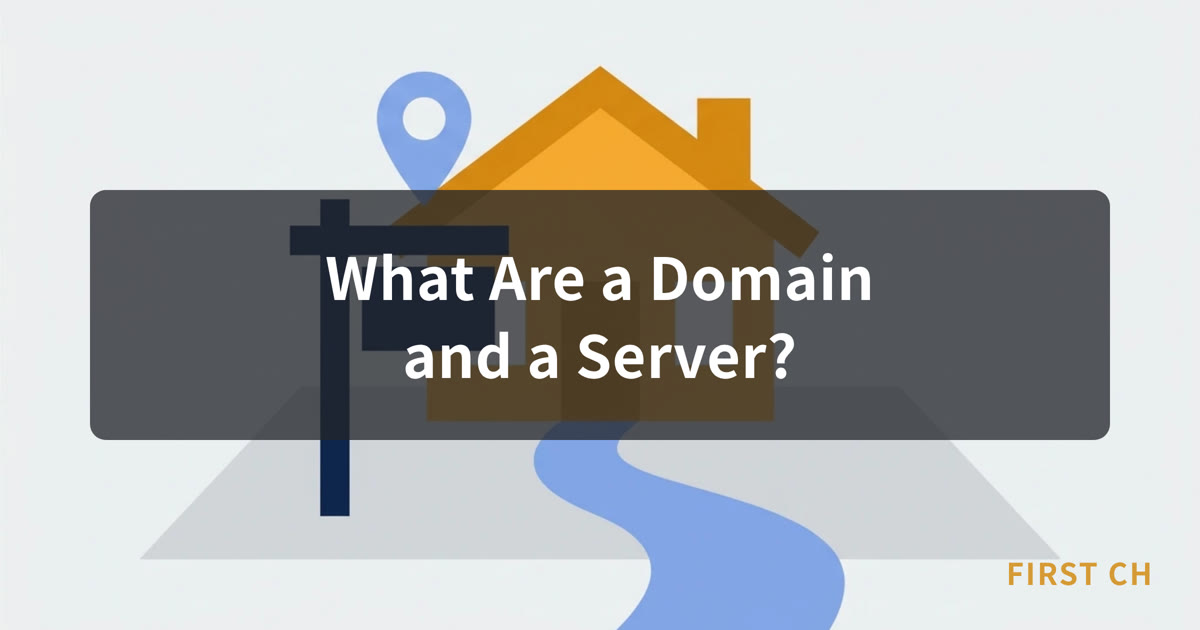
“You’ll need to sign up for a domain and a server.” Someone told you that, but what are they, exactly?
Many of our clients ask this question in website planning meetings. Once IT terms come up, the conversation can suddenly feel much harder to follow.
To be honest, you don’t need a detailed understanding of how domains and servers work. But knowing “what you’re paying for” and “why you need it” makes it easier to work with your web developer, and it also helps prevent problems later on.
A domain is your “address” on the internet, and a server is the “land.” For a small or medium-sized business, a “shared server + your own domain” is enough, and it typically costs around 10,000–30,000 yen per year. The two things that matter most are not forgetting the yearly renewal and signing the contracts in your company’s own name.
In this article, we explain how domains and servers work using the metaphors of an “address” and “land,” so that even readers with no technical background can follow along.
A Domain = Your “Address” on the Internet
What is a domain?
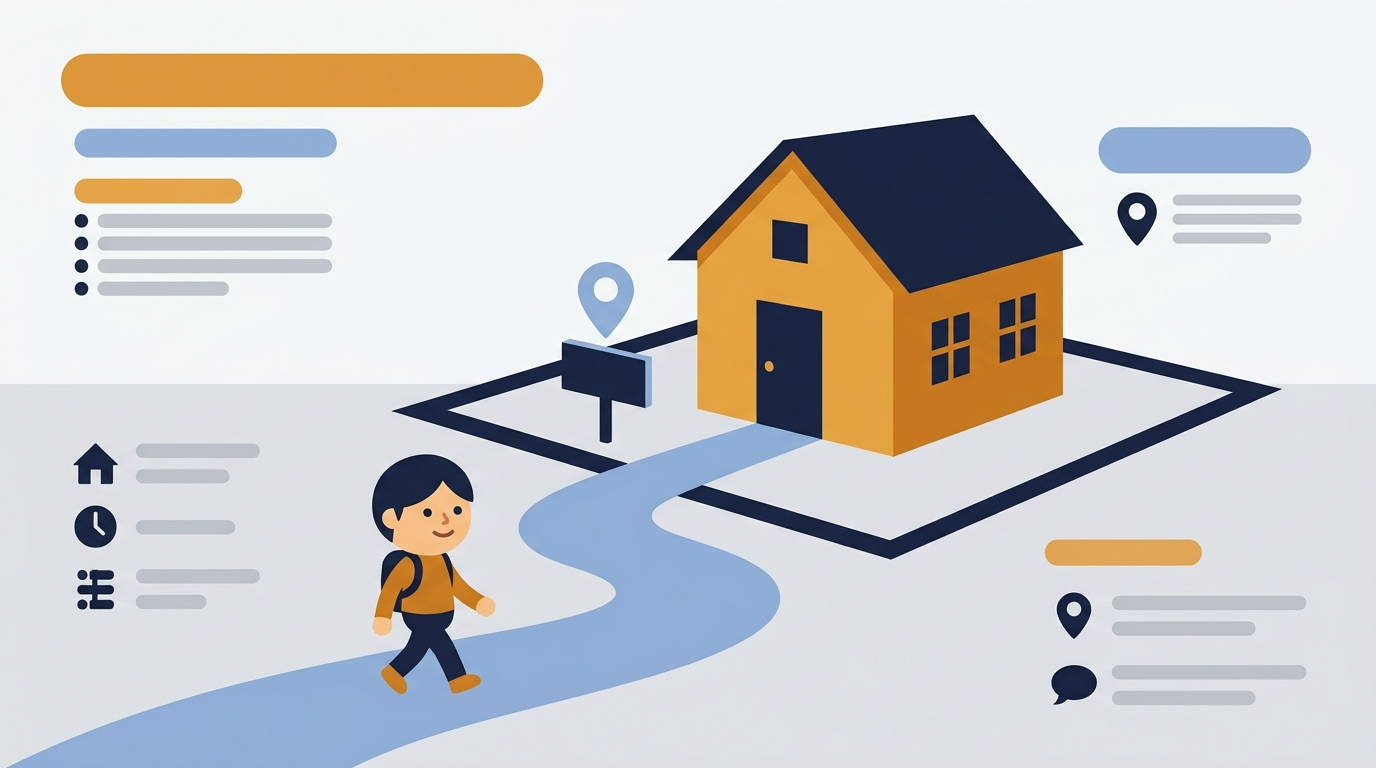
A domain is your website’s address on the internet.
For example, in the URL www.example.co.jp, the example.co.jp part is the domain.
When you type this address into the address bar of a browser (such as Google Chrome or Safari), you reach the website you’re looking for. It works the same way as in the real world: if you know the address, you can find the building.

What happens without a domain?
Without a domain, your website has no address. In other words, customers can’t reach your website.
Strictly speaking, a website can still be reached through an IP address, a string of numbers such as 203.0.113.1, but it isn’t realistic to expect customers to remember numbers like that. A domain turns those numbers into a string of text that people can easily understand.
Domains are also used in email addresses
Domains are used not only for websites but also for email addresses.
For example, in the email address info@example.co.jp, the part after the @ is the domain. Once you have your own domain, you can also create email addresses just for your company.
Compare info@example.co.jp with info@gmail.com. The first one feels more trustworthy for business, doesn’t it?
A Server = Your “Land” on the Internet
What is a server?
A server is a computer that stores your website’s data (text, images, design, and so on) and makes it available online.
To continue the metaphor, if the domain is the “address,” the server is the “land.” You build a house (your website) on the land (the server) and assign it an address (the domain). That’s how a website gets published.
It runs 24 hours a day, 365 days a year
A server runs 24 hours a day, 365 days a year to keep your website available.
When a customer visits your website, the server processes the request (“send this page’s data to this person”), and the website appears on their screen. People can view your website at any time, even late at night or on holidays, because the server is always running.
Rental servers are the norm
“So do I have to buy a powerful computer myself?”
Don’t worry. For small and medium-sized business websites, using a rental server is the norm. A server management company provides and maintains the computers, and you rent a portion of one.
Because rental servers cost anywhere from a few hundred to a few thousand yen per month, they are far cheaper than setting up your own server, and you don’t have to handle the maintenance.
Web制作・システム開発は
First CHにお任せください
「こんなWebサイトが欲しい」「このシステムは実現できる?」——
現役エンジニアが直接お話を伺い、最適な進め方をご提案します。
「まだ構想段階」「費用感だけ知りたい」というご相談も歓迎です。
How Domains and Servers Connect: Linking the “Address” to the “Land”
DNS (Domain Name System): the internet’s “phone book”
A domain and a server aren’t automatically connected from the start. They’re linked through a system called DNS (Domain Name System).
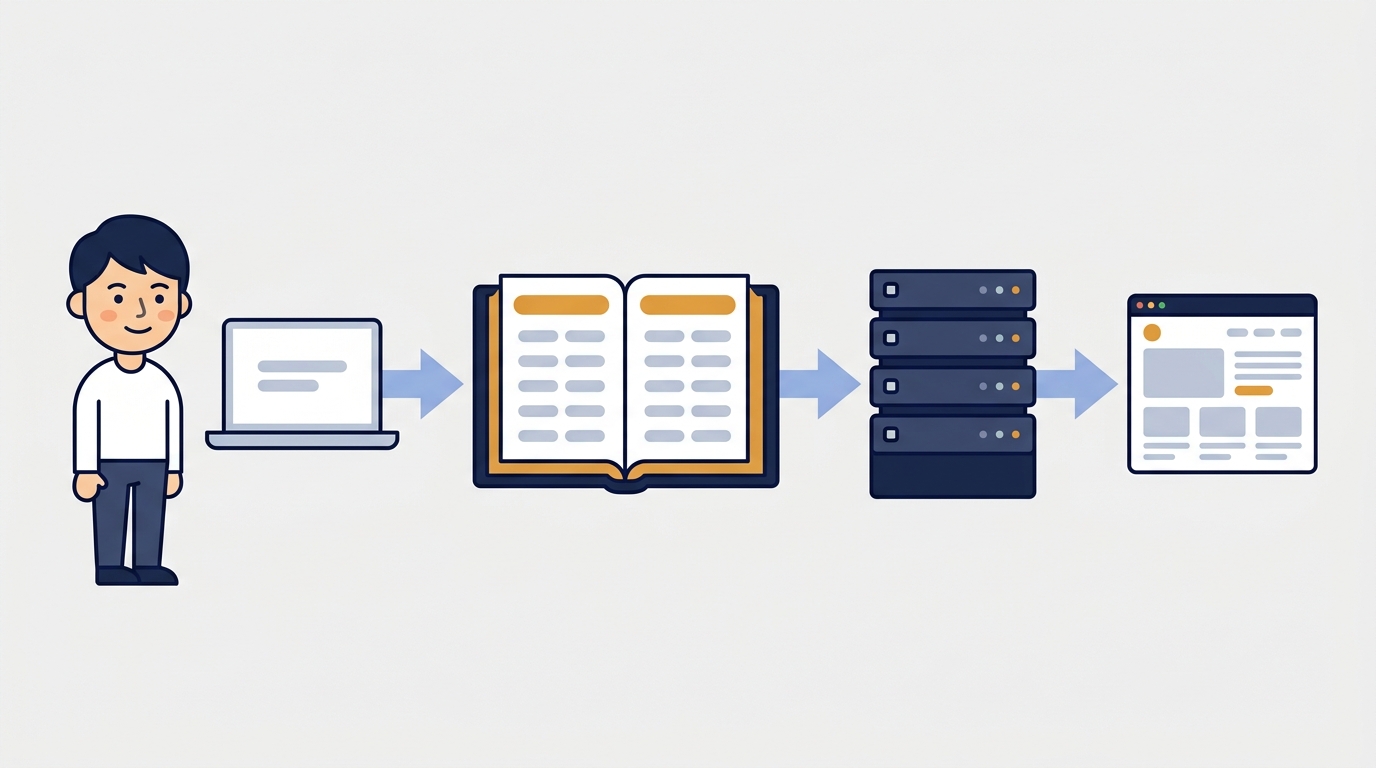
DNS works like the internet’s “phone book.”
- A customer types
example.co.jpinto their browser - DNS points the way: “That address is on this server (IP address: 203.0.113.1)”
- The browser connects to that server, and the website is displayed
If you understand this mechanism, it will be easier to follow your developer’s explanation when problems come up, such as “I changed the domain, but the website isn’t showing up.”
They are often contracted separately
You can sign up for a domain and a server with separate companies, or with the same company.
| Option | Advantages | Disadvantages |
|---|---|---|
| Use the same company for both | Easy to manage. Setup is simple | Switching providers may take extra work |
| Use separate companies | You can switch providers flexibly | You have two providers to manage |
For small and medium-sized businesses, we recommend using the same company for both. Management is easier, and you only have one place to contact if something goes wrong.
How to Choose a Domain: Types and Typical Costs
Types of domains (top-level domains)
The end of a domain (the .co.jp, .com, or .jp part) is called the top-level domain (TLD). Different types have different uses and levels of trust.
| Type | Features | Typical annual cost | Recommended for |
|---|---|---|---|
| .co.jp | Only for corporations in Japan. The most trusted | About 3,000–5,000 yen | ◎ Corporations |
| .jp | Individuals and corporations with an address in Japan | About 2,000–4,000 yen | ○ Corporations and sole proprietors |
| .com | The most common worldwide | About 1,000–2,000 yen | ○ If keeping costs down is the priority |
| .net | Originally for network-related uses | About 1,000–2,000 yen | If you can’t get the .com |
For a corporation, we recommend .co.jp. Because you need to be a registered corporation to get one, the domain itself serves as proof of credibility. For sole proprietors, .jp is a convenient choice.
Tips for choosing a good domain name
Here are the key points to keep in mind when deciding on a domain name.
- Keep it short and easy to understand: easy to remember and easy to fit on a business card
- Base it on your company or service name: for example,
firstch.co.jp - Use few hyphens:
mycompany.comis simpler thanmy-company-tokyo.com - Avoid Japanese-language domains: domains like
日本語.jpare prone to technical problems
Popular domain names may already be taken. It helps to have a first, second, and third choice ready.
How to Choose a Server: Typical Costs and Performance
Types of rental servers
Rental servers fall into three broad types.
| Type | Features | Monthly cost | For small and medium-sized businesses |
|---|---|---|---|
| Shared server | Multiple users share one server | 500–2,000 yen | ◎ Recommended |
| VPS (virtual private server) | A dedicated space is reserved virtually | 1,000–5,000 yen | ○ If you have a lot of traffic |
| Dedicated server | You have an entire server to yourself | 10,000 yen or more | △ For large-scale sites |
For a small or medium-sized business’s corporate website (a website that introduces the company), a shared server is enough. For around 1,000 yen per month, you can use a service with perfectly adequate security and performance.
What to check when choosing a server
When choosing a server, ask your developer about the following points.
- Does it support SSL (https) for free?: This is practically essential today
- Does it have automatic backups?: These protect you in case data is ever lost
- Support: It’s reassuring if you can contact them by phone or chat
- Does it support WordPress?: Essential if your website will be built with WordPress
For more on SSL, see What Is an SSL Certificate (https)? Why You Need One, Explained in 3 Minutes.
What to Watch Out for in Management: Forgetting to Renew Your Domain and Server
If you forget to renew your domain, your site disappears
Both domains and servers require contract renewal, usually every year.
If you miss the renewal deadline, the domain expires, and your website will no longer display and you won’t be able to send or receive email. On top of that, if a third party registers the expired domain, there are real cases where companies could not get back a domain they had used for many years.
Always check your auto-renewal settings
The easiest way to prevent this problem is to turn on auto-renewal.
- Turn on auto-renewal (自動更新) in your domain provider’s control panel
- Watch out for credit card expiration dates (auto-renewal can stop when your card is replaced)
- Keep your registered email address able to receive messages at all times (so you don’t miss renewal notices)
Always keep track of your account information
Even if your developer signed up for the domain and server on your behalf, make sure your company keeps its own record of the account information (login ID, password, and the name the contract is registered under).
To be honest, several times a year we’re contacted by people who say, “We left everything to our web design company, but we lost contact with them and now we can’t access our own domain.” The golden rule is to sign up for your domain and server in your company’s own name.
Summary: Domains and Servers Are “Your Website’s Foundation”
| Term | Metaphor | Role | Typical cost (per year) |
|---|---|---|---|
| Domain | Address | Your website’s address (URL) | 1,000–5,000 yen |
| Server | Land | Stores your website’s data and makes it available online | 6,000–24,000 yen |
| DNS | Phone book | Links the domain to the server | Free (automatic) |
Domains and servers are your website’s foundation. You can’t see them, but without this foundation, your website can’t be published.
There are only three things we’d like you to remember.
- Domains and servers must be renewed every year (auto-renewal recommended)
- Sign the contracts in your company’s own name (keep the account information yourself)
- For a small or medium-sized business, a shared server + your own domain is enough
Rather than leaving everything to your developer, keep track of “what our website’s foundation looks like.” That’s the key to running your website with peace of mind for years to come.
If you have any questions about choosing or managing a domain or server, feel free to contact us.
At First CH, we handle everything from helping you sign up for a domain and server to setting them up. We’re also happy to help if you don’t know the details of your company’s domain or server.
Web制作・システム開発は
First CHにお任せください
「こんなWebサイトが欲しい」「このシステムは実現できる?」——
現役エンジニアが直接お話を伺い、最適な進め方をご提案します。
「まだ構想段階」「費用感だけ知りたい」というご相談も歓迎です。







