
When people come to us wanting to start selling online, this is the first fork in the road: do you list on Rakuten or Amazon, or do you build your own online store?
It isn’t a question of which one is right. The answer changes with your goal. And in many cases, trying to do both from the start leaves both half-finished.
In this article, we compare the two on four points and lay out what you need to decide which one to start with.
If you want sales quickly, choose a marketplace. If you want better profit margins and relationships with your customers, choose your own online store. Both count as “selling online,” but they are different things: a marketplace is “opening a shop where there is already foot traffic,” while your own online store is “building a shop on your own land.” For a business with a physical store and regular customers, your own online store is often the better fit, because you don’t have to build an audience from zero.
Comparing the two on four points
| Marketplace | Your own online store | |
|---|---|---|
| Fees | Around 8–15% of sales + a monthly fee | Payment processing fees of 3–4% + a monthly system fee |
| Attracting customers | Marketplace visitors can find you | You have to bring people in yourself |
| Customer data | The marketplace holds it. Hard to contact customers directly | You hold it. You can bring customers back by email or LINE |
| Effort of running it | Many marketplace rules and sales events to keep up with | You have freedom, but you decide everything yourself |
The fee difference adds up over a year
Take annual sales of 5 million yen. A 10% marketplace fee comes to 500,000 yen a year; a 3.5% payment processing fee on your own online store comes to 175,000 yen a year. The difference is 330,000 yen a year. Even after adding the monthly system fee, you keep more with your own online store.
However, this assumes you make the same sales either way. The marketplace’s 10% is what you pay for its foot traffic, so to reach the same sales on your own online store, you have to attract those customers yourself.
A low monthly fee for your own online store isn’t an advantage in itself. What really decides the outcome is whether you can put the fees you save into attracting customers. Running ads, posting on social media, telling your existing customers — businesses with at least one of these channels are the ones that make a profit with their own online store.
Owning customer data makes the difference over the long run
On a marketplace, the marketplace generally manages buyers’ contact details. Even if you want to encourage repeat purchases, your ways of reaching customers directly are limited.
With your own online store, buyers’ email addresses stay with you. You can announce new products, send seasonal updates, and suggest repurchases on your own schedule. In industries where products naturally get bought again (food, consumables, cosmetics, and so on), this difference pays off year after year.
If you have a physical store, your own online store tends to fit better
Businesses that already have a physical store and regular customers often get their own online store off the ground faster.
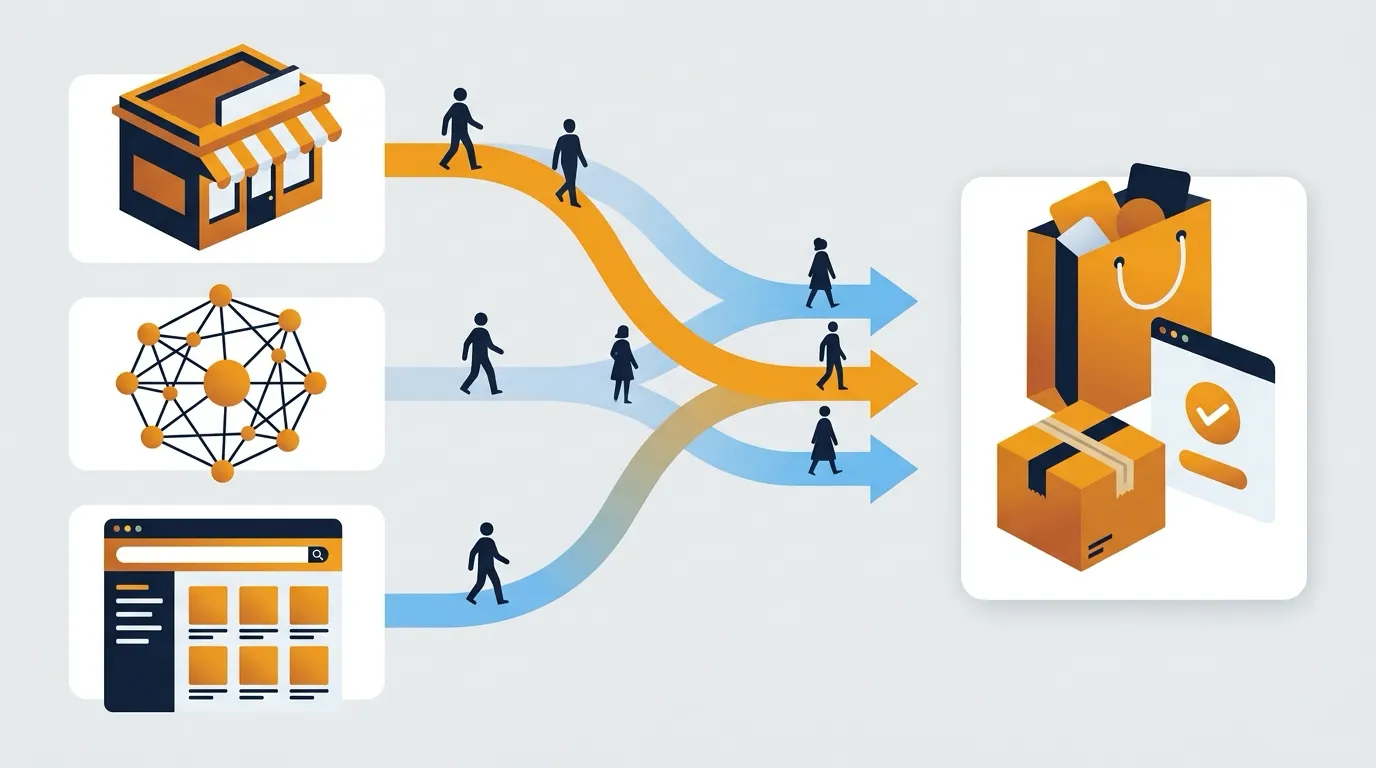
The reason is attracting customers. You don’t need to make people aware of you from scratch; you can start by telling people who already know you, “You can buy from us online, too.”
- You can show a QR code for your online store at your shop
- You can link to it from your existing website
- You can announce it directly to your social media followers
- You can tell regular customers in person when they visit
On the other hand, if you build only your own online store with no physical store and no existing points of contact, you end up with a shop nobody visits. In that case, it is more realistic to start on a marketplace and add your own online store once you have sales and customers.
If you don’t have a website for your store yet, see also What to Put on Your Store’s Website.
Three ways to build your own online store
| Method | Typical monthly cost | Best for |
|---|---|---|
| Free or low-cost e-commerce services | 0 to a few thousand yen | A small number of products, and you want to test the waters first |
| E-commerce platforms such as Shopify | A few thousand yen to under 20,000 yen | Serious operation. You need extensions or integrations with other systems |
| Adding a cart to your existing site | Development cost plus extras | You already have a WordPress site and a small number of products |
If you have 20 or fewer products and want to first see whether they sell, a free or low-cost service is enough. You can build things out once you know they sell.
This is an area where building too much at the start is a common mistake. Membership features, points, subscriptions, inventory integration — all of these can be added later. All you need at first is “a way for people to buy,” and adding everything else in the order you need it once sales begin keeps the total cost lower.
Shopify’s strength is that you can build extensions that connect it to your physical store’s POS (cash register) system or core business systems. We have actually built an integration that links member information between Shopify and a store’s registers. Even so, it’s fine to set up integrations “once you need them.”
Five things to decide before you start
Decide these before getting into the technology. If you build while these are still vague, you’ll end up rebuilding.
The number of products and variations (colors, sizes). This changes which system you should choose.
How many days after an order you’ll ship, and who will pack. Think first about whether you could keep up with 10 orders a day. If you can’t, your operations will grind to a halt the moment things start selling.
A flat nationwide rate, rates by region, or free shipping above a certain amount. Changing this later means explaining it to existing customers.
You can make food and hygiene products non-returnable, but you must state this clearly on your site (Act on Specified Commercial Transactions).
The person responsible for replying to questions like “Is this in stock?” and “When will it arrive?” If this isn’t decided, replies get delayed and your reviews suffer.
Of ① through ⑤, only ① can be solved by a system. The rest are about operations, and if you build without deciding them, you will definitely get stuck.
Information the law requires you to display
Selling online comes with items you are legally required to display.
- Disclosure under the Act on Specified Commercial Transactions (business name, address, phone number, selling prices, shipping fees, payment methods, delivery timing, return terms)
- Handling of personal information (privacy policy)
- Food labeling if you sell food, and restrictions on advertising claims for cosmetics and health foods
The disclosure under the Act on Specified Commercial Transactions must include an address and phone number. This can be a sticking point if you run the business from home, so check it before you start.
Frequently asked questions
- Can I do both a marketplace and my own online store?
-
You can, but we don’t recommend starting both at the same time. Managing inventory, prices, and inquiries doubles, and both tend to end up half-finished. The safer order is to get one on track first and then add the other.
- Which is better: adding a cart to my existing website, or building a separate online store?
-
With around 10 to 20 products, adding a cart to your existing site keeps management in one place. With more than that, or with many variations in inventory and shipping, a dedicated e-commerce service will make things easier down the road.
- If I build an online store, will things sell?
-
Building it alone won’t make things sell. An online store is “a place to buy,” not “a way to get known.” Plan it together with a way to bring people in — existing customers, social media, or search.
- How much does it cost to start?
-
If you start with a low-cost service, there are almost no upfront costs. What takes effort is preparing product photos and writing product descriptions. This is actually what takes the most time. Expect even 10 products to take several days for photos and descriptions.
Summary
Your own online store and a marketplace serve different goals.
- Marketplace — Opening a shop where there is foot traffic. Customers come to you, but you pay fees and hand over your customer data
- Your own online store — Building a shop on your own land. Fees are lower, but you attract customers yourself
- Businesses that already have points of contact, such as a physical store, social media, or an existing website, are a good fit for their own online store
- Build things out later. All you need at first is “a way for people to buy”
- Decide five things before you build: number of products, shipping setup, shipping fees, return terms, and who handles inquiries
If you’re unsure which to start with, we can help, beginning with sorting out the points of contact you have with your customers today. Reach us through our contact form.







