
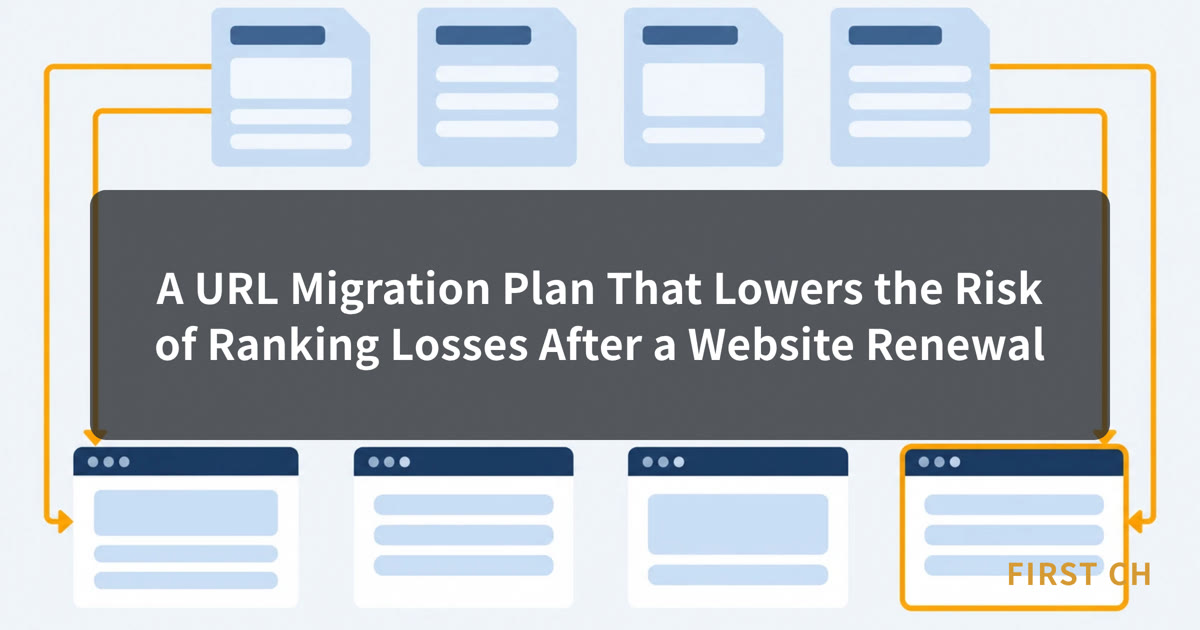
“We redesigned our website, and now we get fewer inquiries from search.” This is a concern with a website renewal.
Search traffic can drop for many reasons, and you can’t prevent all of them. But the client can prepare for some of them. One is the situation where a page’s URL has changed, but nothing sends visitors from the old URL to the new one. This article explains how to prepare for that and what to confirm with your web design company.
If URLs will change in a renewal, build a table that pairs each old URL with its new URL, one row at a time (a URL mapping table) before launch, and set up server-side 301 redirects that follow the table. Google’s guidance is to keep redirects generally for at least one year. If you change the whole domain, also use the Change of Address tool in Search Console. Before signing the contract, agree on who creates the table and how the client will check it. Even with just two checks, a client can verify the work: “ask to see the table” and “open the old URLs yourself after launch.”
What Happens When URLs Change
What Happens to Search Engines and Visitors
Search engines keep track of pages by their URLs. When a renewal changes a page’s URL, the search engine sees a known page disappear and an unknown page appear.
A setting that automatically sends visitors from the old URL to the new URL (a redirect) tells the search engine that the page has moved. If you delete the old page and leave no redirect, the old URL returns “Not Found” (404). According to Google, when a URL that was previously indexed returns 404, Google removes that URL from its index.
Search engines aren’t the only ones affected.
- Customers who bookmarked the page land on an error screen
- Links from other websites and articles that mention you lead nowhere
- URLs printed on business cards, flyers, and QR codes stop working
Just as you file a change of address when you move, a URL change needs its own forwarding plan.
Check Whether Your URLs Will Change
You only need redirects for pages whose URLs change. Which URLs change depends on what the renewal involves.
| Type of renewal | Do URLs change? | What to do |
|---|---|---|
| Design only (page structure and URLs stay the same) | No | Usually nothing. But use a mapping table to confirm they really are the same |
| Merging or splitting pages, or reorganizing the hierarchy | Some change | A URL mapping table and redirects for the pages that change |
| Switching CMS (for example, from static HTML to WordPress) | Depends on settings and design | Compare old and new URLs for every page, and redirect only those that changed |
| Changing the domain (for example, after a company name change) | All change | Redirects for every page + the Change of Address tool |
| Switching from http to https | All change | Redirects for every page (do not use the Change of Address tool) |
When you switch CMS, you can sometimes match the old site’s URL format. In other cases, the URL changes: the trailing .html disappears, or a category name is added to the path. Even if you don’t expect any changes, it’s safest to list the old URLs and check that each one opens on the new site.
For the overall cost and process of a renewal, see Website Renewal Costs and Keys to Success. This article focuses only on one step in that process: carrying over your URLs.
How to Build a URL Mapping Table
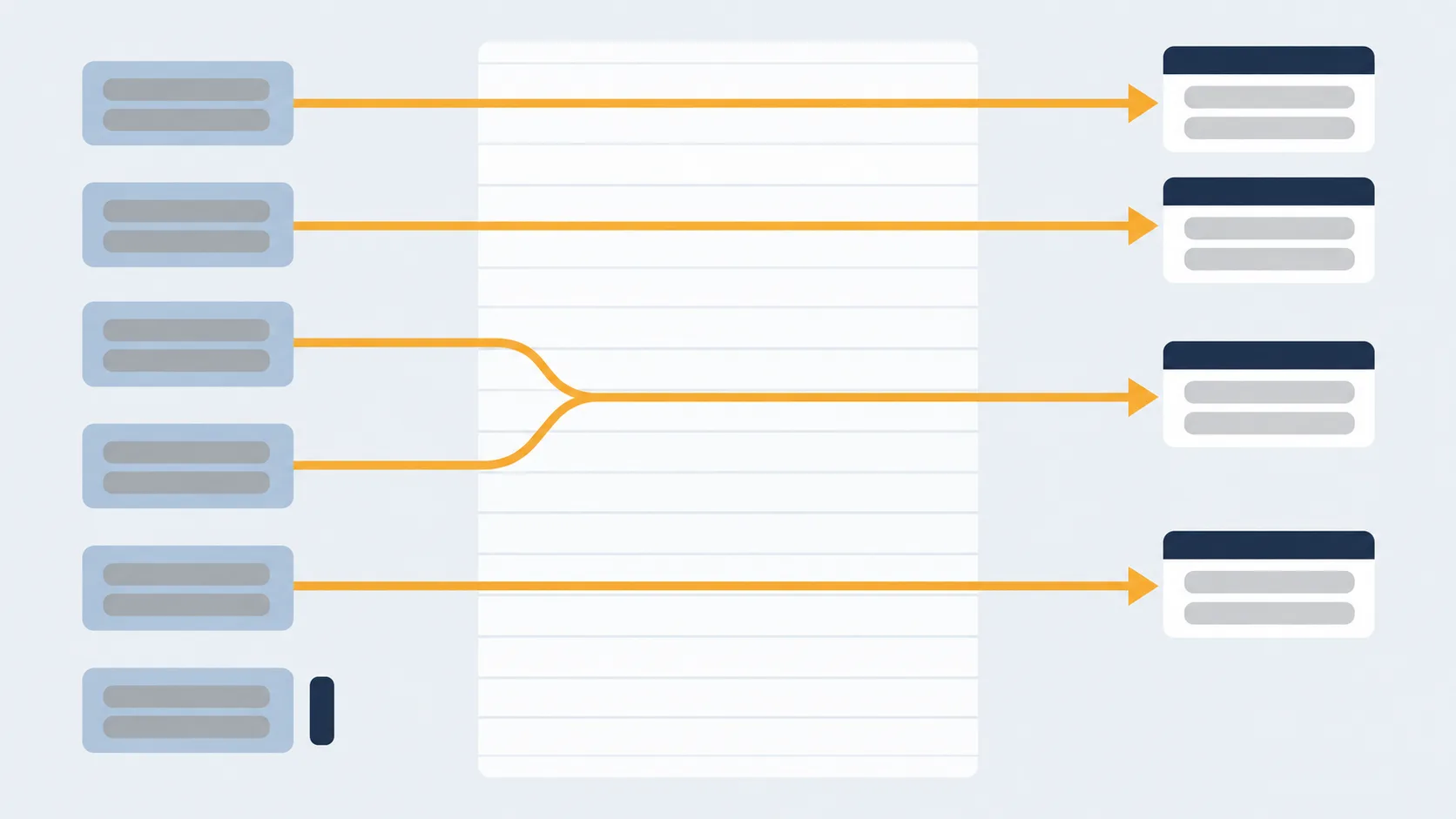
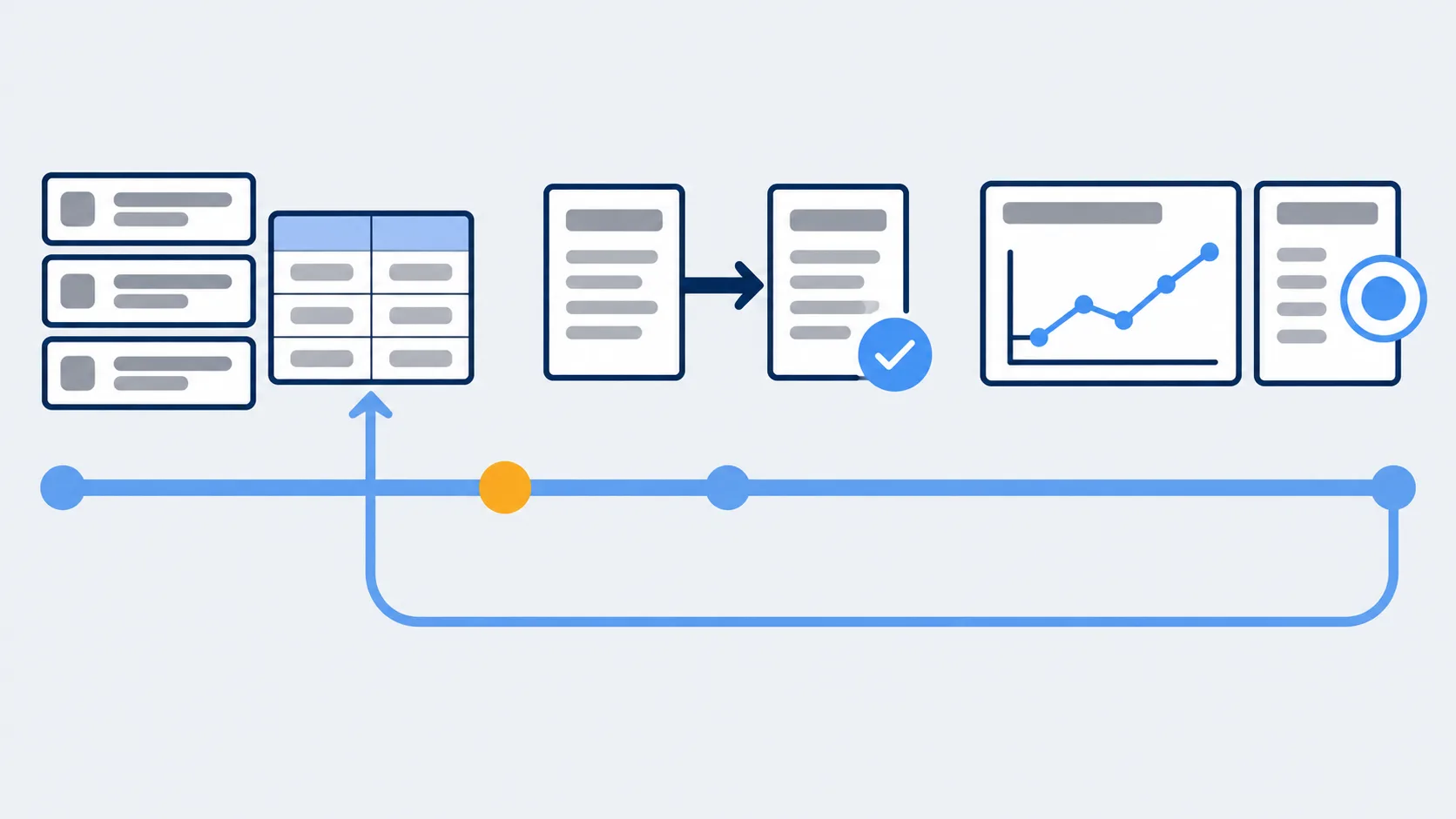
A URL mapping table is simply a table with old URLs in the left column and new URLs in the right column. Google’s site move steps also say to create a list of the original URLs and map each one to its new destination. There are three steps.
1. Collect Every Old URL
Collect not only pages that are live now but also URLs that people have reached through search or links in the past. Places to look:
- URLs listed in the current site’s sitemap (XML file)
- Pages with impressions or clicks in Google Search Console’s Performance report
- Pages with views in your analytics tool (such as GA4)
- Blog posts, news items, PDF documents, and standalone image pages
Pages missing from the sitemap may still get search traffic, so compare several sources. For how to read Search Console, see How to Use Google Search Console.
2. Decide Where Each Old URL Should Go
Assign a new URL to each old URL, one row at a time. These three cases are the most likely to cause confusion:
| Old page’s situation | Destination |
|---|---|
| Moved with the same content | The matching new page |
| Several pages merged into one | The new page they were merged into |
| Deleted, with no real replacement page | Do not redirect. Return 404 or 410 (Gone) |
Redirect only when there is a page the content moved to, or a page that truly replaces it. If you send visitors to a loosely related page, they won’t find the information they were looking for and may be confused. If you’re unsure, ask: “Can someone who opens this old URL do the same thing on the destination page?”
3. Have the Client Review the Table Too
Before signing the contract, decide who will create the mapping table and in what format you will receive it. Only the client knows things like “this page still brings in inquiries” or “we give this document to our business partners.” Get the table and check that your most-used pages point to the right destinations.
Use 301 Redirects to Signal a “Permanent Move”
Once the mapping table is ready, set up redirects that follow it. Search engines handle each redirect type differently.
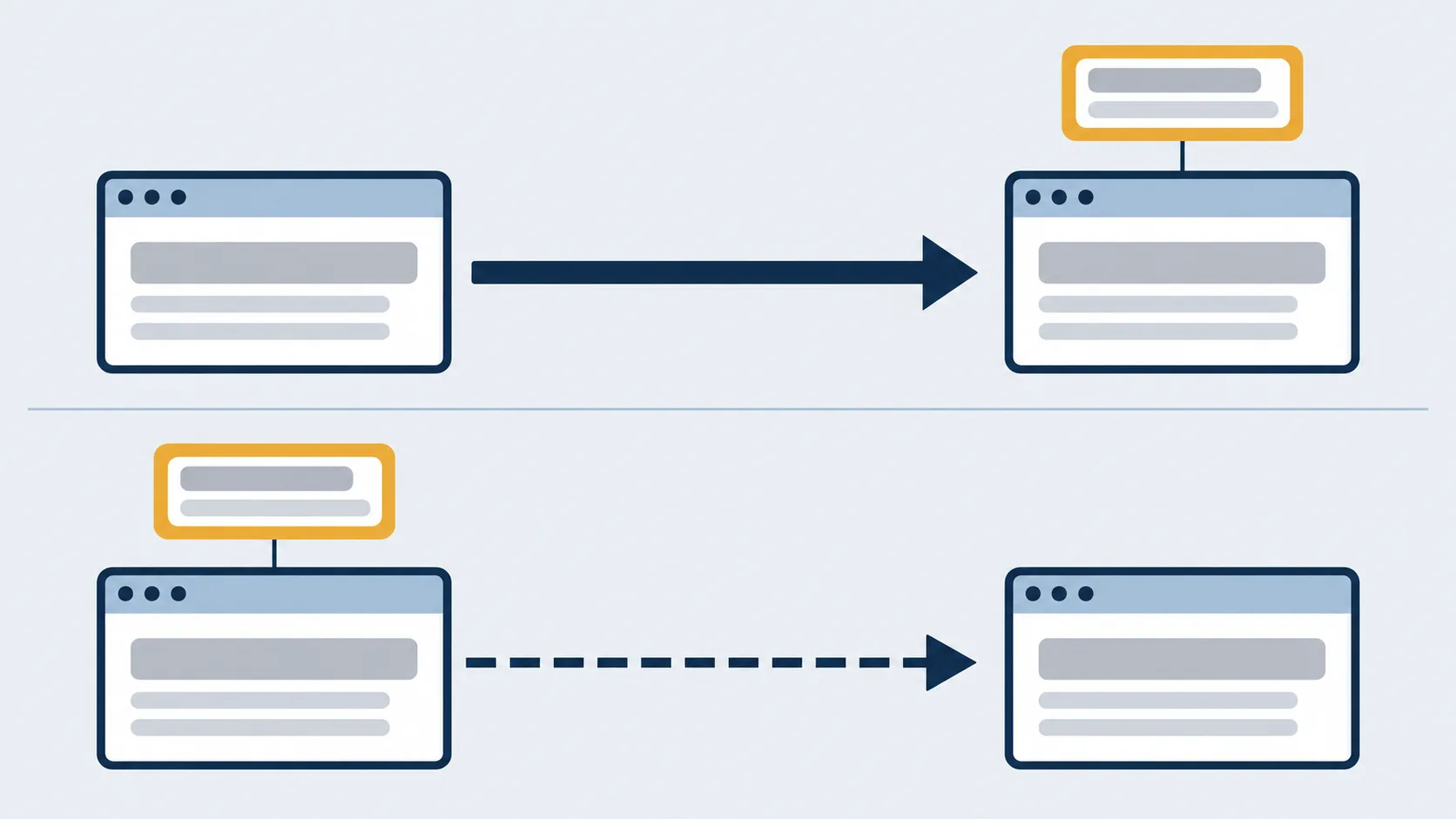
301 vs. 302
In summary, Google Search Central describes the difference as follows.
| Type | Meaning | How Google Search treats it |
|---|---|---|
| 301 / 308 (permanent) | This page has moved permanently | A signal that the destination should be the canonical URL |
| 302 / 307 (temporary) | Showing a different location for now | Normally used when you intend to keep the old URL |
Which URL appears in search results also depends on other signals. A URL change in a renewal is permanent. Use 301 (or 308). Some setup methods redirect with a 302, so ask your web design company which type they used.
Server-Side Redirects Are the Standard
Google recommends using permanent server-side redirects wherever possible. WordPress redirect plugins and server configuration files (such as .htaccess) both count as server-side.
You can also redirect with a “meta refresh” in the page or with JavaScript. However, Google says to use JavaScript redirects only when server-side redirects or meta refresh aren’t possible, and Google may not recognize the redirect at all.
Don’t Stack Redirects
Avoid chains of redirects, such as old URL → intermediate URL → new URL (a redirect chain). Googlebot, when crawling typical web pages, normally follows up to 10 redirects, but Google recommends redirecting directly to the final destination. If older redirects are still in place, update their destinations to the new URLs as well.
How Long to Keep Redirects
Google’s site move guidance says to keep redirects as long as possible, generally at least one year. For the sake of users, it also recommends considering keeping them indefinitely. Include them in the handover list when you move servers or do your next renewal.
Additional Steps When Changing the Whole Domain
When you change the domain itself, for example after a company name change or brand consolidation, use the Change of Address tool in Google Search Console in addition to 301 redirects for every page.
Google’s help pages describe the Change of Address tool as follows:
- It is for moves between domains, such as from example.com to example.org
- Do not use it when you only change paths within the same domain, switch between www and non-www, switch from http to https, or only move servers
- You must be a verified owner of the Search Console properties for both the old site and the new site, using the same Google account
- A 301 redirect from the old site’s homepage to the new site’s homepage is required
- For each variation of the old domain, such as www vs. non-www or subdomains, follow the official procedure as well
- After you submit, a notice is shown for 180 days. After 180 days, Google no longer recognizes the relationship between the old site and the new site
The 180 days is the period for the Change of Address tool. Keep 301 redirects, as described in the previous section, generally for at least one year.
What the client should watch out for here is who owns the Search Console properties. If they are registered only under your previous web design company’s account, the process will stall when it’s time to use the tool. You also can’t cancel the old domain contract while the redirects need to stay in place. For domain ownership and renewal, see What to Check When You Want to Switch Web Design Companies.
What to Check on Launch Day and After
A URL migration isn’t finished until you have checked it after launch and fixed anything that was missed.
On Launch Day
- Pick the main pages from the URL mapping table, open each old URL in a browser, and check that it goes to the new URL
- Check that links within the new site (menus, body text, footer) don’t still point to old URLs. Google also advises replacing internal links with the new URLs during a move
- Prepare a new sitemap and submit it in Search Console
- Test that the contact form on the new site delivers messages
In the Weeks After Launch
- In Search Console, check that new URLs are getting indexed and that errors aren’t increasing
- If any URLs return “Not Found,” check whether each one was missed in the migration or was a page you deleted on purpose. If it was missed, add it to the mapping table and add a redirect
- Compare search rankings and impressions with the period before the renewal
Google’s site move guidance notes that search rankings may fluctuate temporarily during a move. Don’t judge by the numbers from the first few days after launch. Follow the trend while watching the error count and how indexing of the new URLs is progressing.
What to Confirm with Your Web Design Company
It’s often unclear where URL migration work is covered in a quote. Check whether the quote describes the scope of this work, and ask about the following points before and after placing the order.
- Which sources will be used to build the list of old URLs (only the sitemap, or Search Console and analytics as well)
- Whether the client will receive the URL mapping table in a format they can review
- Whether redirects will be 301s set up on the server side
- Whether they will add redirects if URLs turn up “Not Found” after launch, and for how long and at what cost
- If the domain changes, who will handle the Change of Address tool, and who owns the Search Console properties
- How long the old domain and redirects will be kept, and under whose contract
If you’re looking for someone to handle your renewal, see our Website Design page as well.
Frequently Asked Questions
- Wouldn’t it be easier to redirect all old URLs to the homepage?
-
Visitors would land somewhere other than the page they were looking for, which may confuse them. For each old page, choose one destination: the new page its content moved to, or a new page that truly replaces it. For deleted pages with no replacement, don’t redirect them. Instead, you can guide visitors from the “Not Found” page to your main pages.
- If we set up redirects, will our rankings definitely come back?
-
That can’t be guaranteed. Google itself mentions temporary fluctuations during a move. Redirects are preparation to avoid losing ranking signals because URLs changed. They can’t prevent changes caused by your page content or by competitors.
- The site was built by our previous web design company, and we don’t have a list of old URLs.
-
You can build one from the live site’s sitemap or from Search Console data. If you don’t have Search Console access, start by verifying ownership with your own company’s Google account (for example, through DNS or an HTML file), or have the current owner grant you access.
Summary
- When URLs change, missed redirects are one technical problem that can affect search traffic, and the client can help prepare for it
- Even if you plan to change only the design, use a list of old URLs to check whether any URLs will change
- Build a table pairing each old URL with a new URL, and have the client check the destinations too. Do not redirect deleted pages that have no replacement
- Use 301 (permanent) redirects, set up on the server side wherever possible, and keep them generally for at least one year
- When changing domains, also use Search Console’s Change of Address tool. Confirm who has owner permissions first
- After launch, keep checking indexing of the new URLs and errors in Search Console, and add any redirects that were missed
If you include URL migration in the plan when you decide what the renewal will change, you won’t be scrambling after launch.







