
The phone rings with a booking request in the middle of a treatment or while you are serving a customer. While you check availability and call back, another booking takes that slot. You may want to start taking bookings online, but there are so many types of services that it is hard to judge which one suits your business and what it will cost.
A reservation system combines the screen where customers choose a date and time with the tools your business uses to manage bookings. Even a booking screen that is easy to read cannot prevent double bookings if bookings taken by phone are not reflected in it. Choose a system based on how your staff will handle each booking, from the moment it is received until the customer arrives.
The first things to sort out are which parts of your booking work you want to reduce, and how many bookings you can accept for the same time slot. Test those conditions with an off-the-shelf service, identify what is missing, and only then consider embedding booking on your website or custom development. When comparing costs, look beyond the initial cost and break out the monthly usage fee, payment and notification fees, and maintenance costs.
First, separate the situations that cause problems in your current booking process
Distinguish a high volume of calls from a booking management problem
“I want fewer phone calls” covers several different tasks, such as telling customers what times are available, explaining menu items, and changing bookings. If telling customers about availability is the burden, a booking screen will help, but if you get many questions about your menu, you should also review the explanations on your website.
| Problem situation | Features or operations to check when choosing |
|---|---|
| You cannot answer the phone while serving customers | Online booking that works outside business hours too, and notifications after a booking is received |
| Bookings overlap when transferred to a paper ledger | Whether phone bookings can also be entered in the same management screen |
| Checking staff or equipment availability takes time | Whether staff, rooms, treatment tables, and so on can be reserved at the same time |
| Many back-and-forth exchanges for changes and cancellations | How much customers can change on their own, and the deadline settings |
At a salon, for example, you cannot accept a booking if the stylist is free but the required equipment is not. Also check whether the duration of each service includes preparation and cleanup. For explanations of your services and guiding visitors to book, see What to include on a beauty salon website.
LINE is one entry point for bookings. If you already take bookings through one-to-one LINE chats, include those bookings in the scope of what you manage. Integration with a LINE Official Account is covered in a separate article.
The differences between off-the-shelf services, embedding on your site, and custom development
Think separately about where the booking screen sits and the system behind it
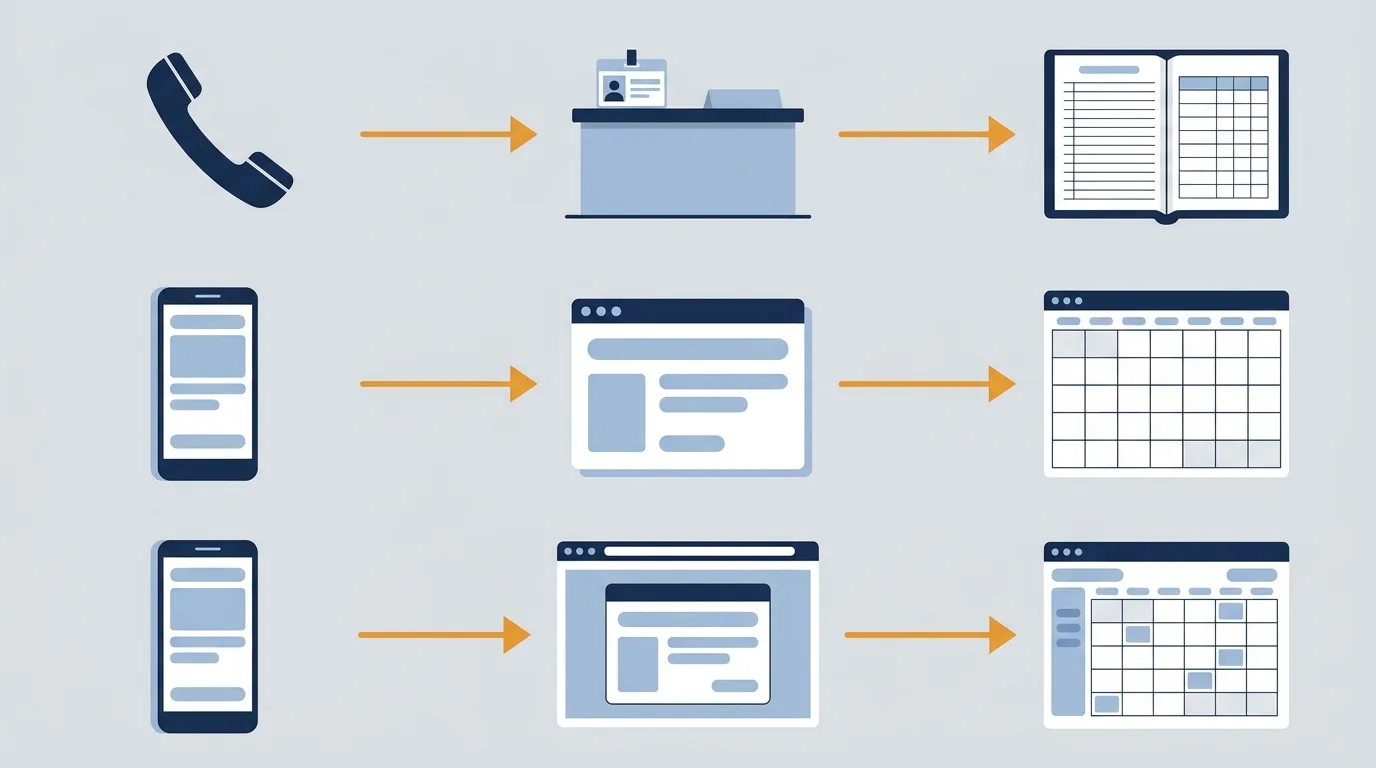
Some off-the-shelf services let you set your menu and business hours in a ready-made management screen. Customers go from a button on your website to the booking page. If the service supports it, you can also choose to embed the booking screen within your site.
Having a booking screen inside your website does not necessarily mean the booking function was custom-built. When you say “I want booking embedded on my site,” confirm whether you mean a link to an external page, embedding a ready-made screen, or integrating data.
Test whether the ready-made settings can express your booking conditions
If service durations by menu item, staff requests, closed days, and similar conditions fit within the ready-made settings, start with that as a candidate. Even if you have preferences about colors or button placement, it is easier to start operating when the booking rules match.
Consider custom development when, for example, conditions that combine multiple pieces of equipment cannot be expressed, or you want bookings to flow automatically into your existing customer management system. However, if an off-the-shelf service has integration features, you may not need to build everything from scratch. For each thing it cannot do, compare using another service, changing how you work, and additional development.
When comparing, have not only the manager but also the staff who handle reception try the management screen. Check whether the booking list is easy to read, whether slots can be closed when someone is suddenly absent, and whether the assigned staff member can be changed. Even if the customer-facing screen is polished, if day-to-day changes are time-consuming, staff may go back to the paper ledger.
At a clinic, booking conditions may differ between first visits and follow-up visits. Test the categories you actually need, and keep the information collected on the booking screen to a minimum. Booking flows and page structure for osteopathic and therapy clinics are covered in Website production for osteopathic and therapy clinics. Medical treatment information for medical institutions is also subject to medical advertising rules, so please consult us individually.

Compare costs by initial cost and ongoing cost
What the estimate covers differs by approach
Check pricing for off-the-shelf services on each provider’s official website. Even if you can start for free, contract terms may change depending on the features you need, the number of bookings, the number of locations, and the notification method. You need to confirm whether features available during a trial are also available on a paid plan.
| Approach | Initial costs to check | Ongoing costs to check |
|---|---|---|
| Use an off-the-shelf service | Initial setup, menu registration, training on how to use it | Monthly usage fee, paid features, payment and notification fees |
| Embed it on your website | Placing buttons or screens, adjusting for smartphones, testing | Usage fee for the off-the-shelf service, maintenance of the site |
| Custom development | Designing booking rules, developing screens and management features, testing | Server, maintenance, external services, additional modifications |
Simply placing a button and passing booking data to another system lead to different estimates. A single line item like “embedding, complete package” is hard to judge, so ask for setup, screens, integration, and migration to be broken out separately.
Compare totals under the same conditions
Server and domain costs and ongoing maintenance are often separate items from the implementation cost. Along with the implementation cost, confirm who will handle outages, changes to booking rules, and changes to notification settings, and under which contract.
When comparing, total the costs using the same usage period and the same expected number of bookings. Even if one option is cheaper, if daily manual transfer of bookings remains, whether you can keep doing that work is also a factor in your decision.
Also ask whether you can view past bookings after changing your plan, and what incurs additional fees if you add locations. Payment deposit timing, fees, and limits on the number of notifications sent cannot be understood from the monthly fee alone. Asking for the company’s work fees to be shown separately from the usage fees paid to the service provider makes it easier to understand what you will pay after signing.
Five operating rules to decide before implementation
Decide both normal bookings and what happens when plans change
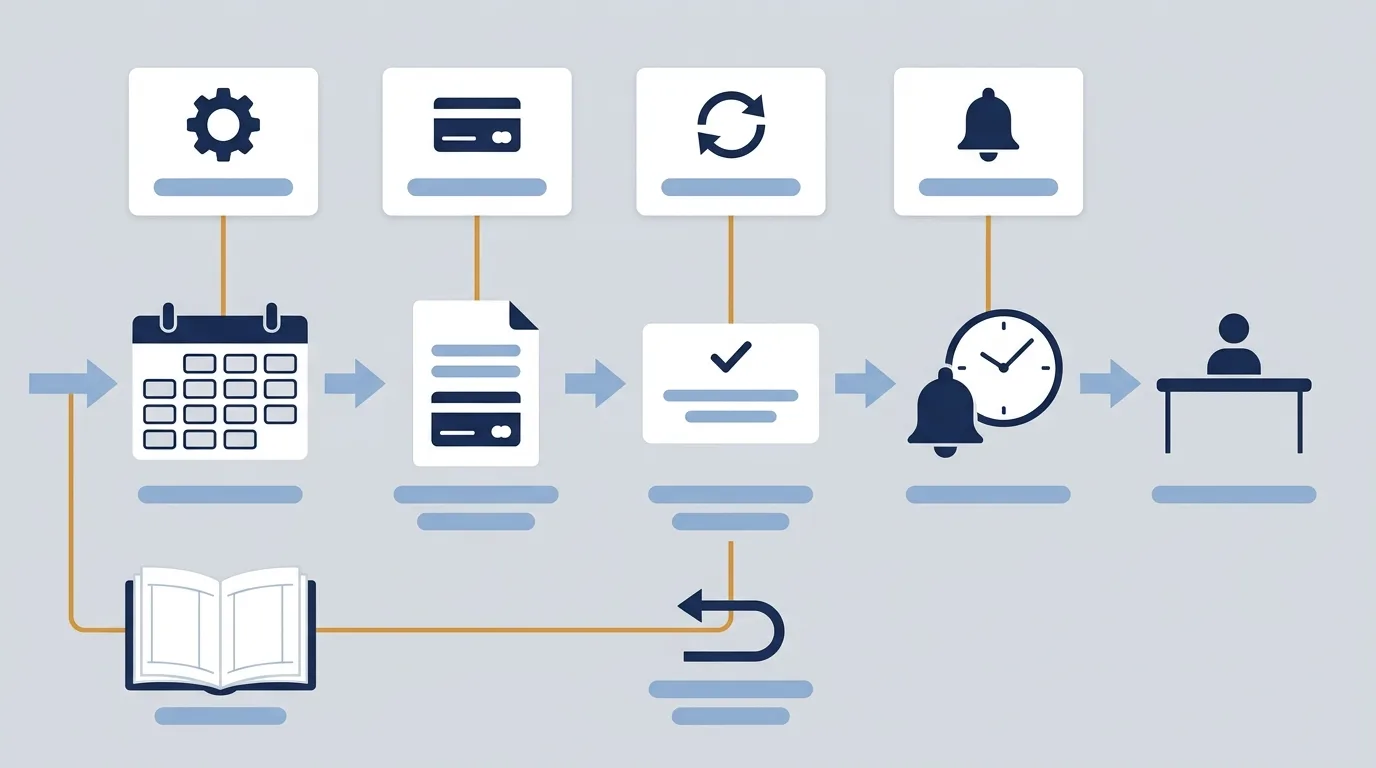
Before asking for setup, confirm the following items within your business. You do not need to automate every exception from the start. If you keep certain cases that customers should discuss by phone, explain where that line is.
| Item to decide | What to decide specifically |
|---|---|
| Booking slots | Duration, preparation time, staff, equipment, booking cutoff. Whether bookings are confirmed instantly or after your approval |
| Cancellations | Deadlines for changes and cancellations, who to contact after the deadline, how to respond when you cancel for your own reasons |
| Prepayment | Applicable menu items, when payment is taken, price differences when changes are made, who handles refunds and how |
| Reminders | What to send and when, how to check if a message was not delivered, how notifications are handled after a date or time change |
| Migrating existing customers | Who will enter existing bookings, and when to tell customers about the new booking method |
For prepayment in particular, ask how you will check cases where payment succeeds but the booking is not confirmed. Whether refunds for cancelled bookings are automatic or manual also affects work on the ground. Post refund conditions where customers can read them before booking, and make sure what you tell customers matches the settings.
Reminders help with visit guidance, but do not run your operations on the assumption that a customer has read a message just because it was sent. Also review whether notifications really need to include detailed consultation content or information about medical treatment.
When migrating existing customers, choose the information you need, and also check the purpose of use and handling conditions for customer information. Avoid sending a booking ledger containing personal information as-is when asking for an estimate; at first, share only the field names with made-up example content.
Prepare example bookings when you ask for help, and start with a small trial
Information to give the company that makes estimates easier to compare
Rather than listing feature names, it is easier to check by asking, “Can the system accept this booking?” Put the following in a simple document.
- Your current booking method and the work you want to reduce. Include the number of bookings and time spent handling them as far as you know
- Menu items, durations, and conditions for staff and equipment. Show both normal bookings and exceptional bookings
- The services you use for your website, customer management, payments, and so on, and whether you have admin access to them
- When you want to implement it, your budget, and who will handle setup and day-to-day management
In the estimate, do not just accept “yes, it can do that”; ask them to show you which screen is used and who operates it. Also ask them to check things like whether online availability changes immediately after a phone booking is entered, and how the system handles two people applying for the last slot at the same time.
Checks before going live and arranging the switchover
Start by testing with representative menu items, going through booking, changing the date and time, cancelling, and setting closed days. Check both the customer’s smartphone view and your management screen. If you take prepayment, decide on a testing method with the company you hire.
By the switchover date, enter the bookings you already have into the new system and cross-check them against the old ledger. Having a period where availability is managed separately in multiple ledgers causes double bookings, so decide first where the authoritative booking record will be kept. Bookings from customers who are not used to online booking and call instead should also be entered into that record.
After going live, record cases where a customer called because they could not complete a booking, and any corrections staff made by hand. Before adding features that will not be used, this gives you material to check whether the cause is missing explanations, a settings problem, or a limitation of the system.
Before signing a contract, also confirm the format in which customer data can be exported, whether you can view data after cancelling, and whose name the admin account is registered in. If you decide in advance how to inform customers during an outage and how to take bookings temporarily, staff will be less likely to be unsure what to do.
Frequently asked questions
- Do I need to rebuild my website to start taking bookings online?
-
If you use a button that sends customers to an off-the-shelf service’s booking page, you may not need to rebuild the entire site. Check whether you can edit your current site and whether you can place the button where it is easy to use on a smartphone.
- Once I switch to online booking, should I stop taking bookings by phone?
-
You can keep phone booking to suit how your customers book. Set up operations so that phone and online bookings are reflected in the same system, and decide who enters phone bookings and when.
- Can I consult you even if I haven’t decided which features I need?
-
If we know how you currently take bookings and the situations that cause problems, we can start the consultation. Preparing examples of normal bookings and of bookings you decline or adjust makes it easier to judge whether an off-the-shelf service is enough.
Summary
- Write down the work you want to reduce and the conditions for your booking slots, and actually test them with an off-the-shelf service
- Get separate estimates for placing a screen on your website and for integrating booking data
- Compare costs including the initial cost, usage fees, payments and notifications, and maintenance and modifications
- Before switching over, decide the operating rules and where records are managed, and also check changes and cancellations
If you are looking for a company to work with, see System Development.







