More companies are now building their websites with AI tools. In fact, if you only care about how it looks, you can have something convincing in a few hours. There’s no question about that.
The problems show up after that. “We published it, but it doesn’t show up when we search.” “We thought we just weren’t getting any inquiries, but the emails weren’t arriving at all.” We now receive requests like these as repair jobs.
In this article, we sort the problems that actually occur on AI-built sites into five types and explain how to fix each one and how much you can do yourself. This article is not arguing against building with AI. It’s about knowing in advance which gaps you’ll need to fill after it’s built.
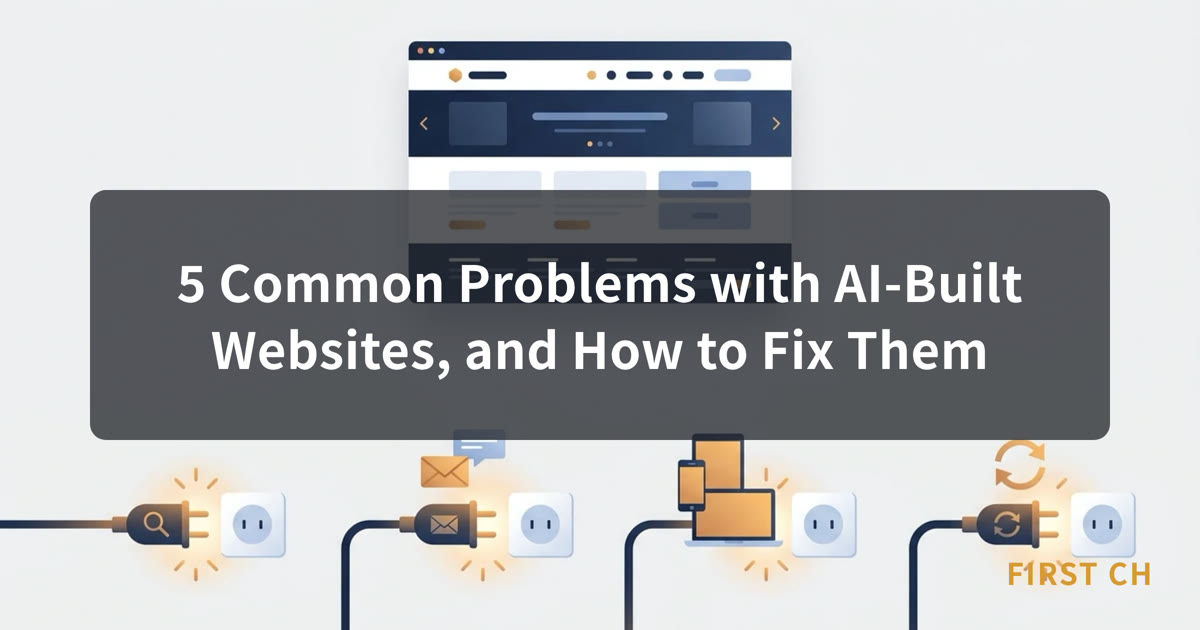
What AI can build is “pages.” What it can’t build is “the wiring that makes them a website.” AI can produce perfectly good visuals, text, and layouts, but registration with search engines, the email delivery path, checks on a real smartphone, the update procedure, and handover to someone else are almost never connected at the point it’s built. If you check for one hour before publishing, you can fix most of these yourself.
Problem 1: It doesn’t show up in search
This is the most common one. You search for your company name and your own site doesn’t appear.
The cause is usually one of the following.
| Cause | Symptom | Fix |
|---|---|---|
| You haven’t told search engines about the site | Weeks after publishing, it doesn’t show up even for your company name | Register with Search Console and submit a sitemap |
| A search-blocking setting is still on | Same as above | On WordPress, check the “Search engine visibility” (検索エンジンでの表示) setting |
| Every page has the same title | It shows up, but the wrong page appears | Give each page its own title |
| The company name isn’t in the body text | It doesn’t show up for your company name | Write your official name, address, and phone number on the company profile page |
AI tools don’t include a step for “registering with search engines.” Their job ends once the pages are built, so a person has to register the site after it’s published. We cover the steps in Basic Search Console setup.
We have seen real sites published with the search-blocking setting (noindex) still on. A setting added for testing gets left in place. Open your site in a browser and search the page source for the text noindex. If it’s there, that’s the cause.
Where to look first when your company name doesn’t show up
On your company profile page, write your official name, address, and phone number as text. Search engines can’t read text inside images. On design-focused pages generated by AI, these three items are often embedded in images.
Problem 2: Contact form emails don’t arrive
This is the problem that does the most damage. The site works and the form submits, but the emails never arrive. In some cases, no one notices for months.
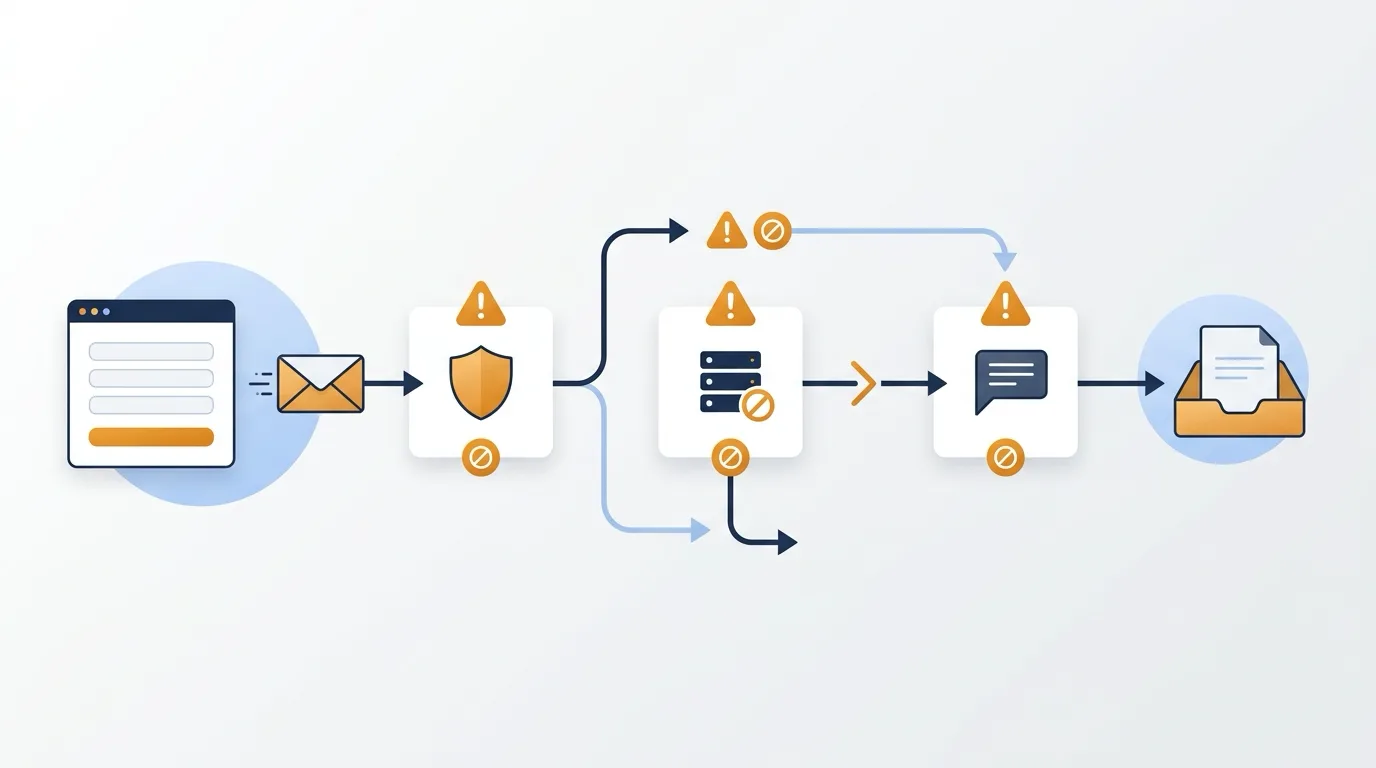
The cause is sender authentication, which has been tightened since 2024. If the server sending your form emails can’t prove that it’s “sending on behalf of this domain,” the receiving side throws the emails away. When that happens, the sending side shows no error at all.
- After publishing, submit the form once yourself and confirm that the email arrives (this alone catches most problems)
- Check your spam folder too
- Test delivery to three places: Gmail, your company email, and a mobile carrier address
- If you’ve set up an auto-reply, confirm that it also reaches the sender
We explain how to fix this and how to narrow down the cause in Why contact form emails don’t arrive and how to fix it.
On the day you publish, send yourself a message through the form.
Problem 3: The layout breaks on smartphones
Screens generated by AI are optimized for the width of the computer screen the builder is looking at. In general, nothing checks the smartphone width while the site is being generated.
These are the three most common ways layouts break.
| Breakage | What you see | Cause |
|---|---|---|
| Horizontal scrolling appears | You can move the page sideways with your finger | An element is wider than the screen (a table, an image, or a long English word) |
| Text is too small | You can’t read it without zooming in | Font sizes are set for a computer screen |
| Buttons are hard to tap | Tapping with your finger hits the button next to it | Buttons aren’t tall enough or spaced far enough apart |
Checking is simple: open your published site on your own smartphone and scroll from top to bottom with your finger. If any part also moves sideways, that’s where the layout is broken.
To check on a computer, you can reproduce the same thing by gradually narrowing the browser window. Narrow it to 375px (a typical iPhone width). If no horizontal scrolling appears, it passes.
Problem 4: You can’t update it yourself
“I just want to fix one line of text, but I don’t know what to touch.” This is also common.
With an AI-built site, the deliverable is the code as it was when it was generated. Unless it was built with an admin panel (such as WordPress), updating it means editing the code directly.
Decide first “who will update what after publishing, and how often.” If you want to update the site yourself, even just once a month, you need to build it with an admin panel from the start. Adding an admin panel later takes almost as much work as rebuilding the site.
We explain how to think about each area you might update in How to decide what can be edited from the admin panel.
Problem 5: No one else can take it over
This one tends to cause trouble later, which surprises people. Only the person who built the site knows how it’s put together.
A handover requires the following four items. AI tools won’t organize these and hand them to you.
- Where the domain was registered (registrar, ID, renewal month)
- Which server hosts the site (provider, login details)
- Where the full set of site data is kept (on someone’s computer? inside the tool?)
- Which tools and services the site uses (forms, analytics, maps, etc.)
Put these four items in a single table and share it with someone else in your company as well. If the person in charge leaves, or you ask an outside company to make changes, nothing can move forward without it. If you’ve actually gotten stuck, see When you can’t reach your previous web developer for the steps.
What you can fix yourself and when to bring in a professional
Here is a rough guide to where the line falls.
| Task | DIY | Hire a pro |
|---|---|---|
| Registering with Search Console and submitting a sitemap | ○ | — |
| Removing search blocking and setting titles | ○ | — |
| Replacing text and photos | ○ (if you have an admin panel) | — |
| Form emails not arriving | △ (sometimes fixable through settings) | ○ (when authentication setup is needed) |
| Layout breaking on smartphones | △ (if minor) | ○ (if the whole layout is affected) |
| Adding an admin panel later | × | ○ |
| Improving page speed | △ | ○ |
The “registering,” “checking,” and “deciding” in Problems 1, 2, and 4 are things you can do yourself. You need to bring someone in once the code has to be changed.
We discuss whether to build with AI or hire someone in Can you build a website with AI?
Frequently asked questions
- Can a professional fix a site I built with AI later?
-
Yes. However, in some cases “rebuilding” is cheaper than “fixing.” It depends on whether the structure of the generated code can be followed. If you show us the actual site, we can tell you which will be faster.
- How long do the checks I can do myself before publishing take?
-
An hour is enough. (1) Scroll through every page on a smartphone. (2) Send a message to yourself through the form. (3) Register with Search Console. (4) Confirm that the name, address, and phone number on your company profile are text. These four steps head off most of the problems in this article.
- Will building with AI hurt my search rankings?
-
Being “built with AI” doesn’t put you at a disadvantage. Google evaluates content, not how the site was made. If you are at a disadvantage, it’s because, as in Problem 1, the step of telling search engines about the site was skipped. It isn’t a problem with how the site was built. It’s a problem with the steps after publishing.
- Up to what size is AI good enough?
-
It works in practice if the site has few pages, is rarely updated, and has a single form. Once you go past 10 pages, have several people updating it, or involve bookings or payments, fixing it later tends to take more effort.
Summary
The problems that occur on AI-built websites are concentrated in the wiring, not the visuals.
- Not showing up in search → Register with Search Console and check for search blocking
- Emails not arriving → On publishing day, submit the form yourself and confirm
- Layout breaking on smartphones → Scroll from top to bottom on a real device
- Can’t update it → Before building, decide “who updates what”
- No one can take it over → Put the domain, server, data, and services in use on one sheet
All of these can be checked in about an hour around publishing. If you’d like us to look at a site you built, send us the URL and we’ll check it against these five points. Please get in touch through our contact form.