
“We have a PHP site that was built for us ten years ago. Is it time to rebuild it?” We get this question regularly. Many sites like this are still running: PHP files placed directly on a shared hosting server, and the company that built them can no longer be reached.
To be clear from the start: you don’t need to rush to throw away a site that is working. That doesn’t mean you can leave it alone, though. Old PHP sites often build up hidden problems that are more serious than an outdated look.
The fundamental difference between a traditional PHP site and Next.js is whether pages are “assembled on the server every time someone visits” or “built in advance and simply delivered.” For a site whose content rarely changes, such as a company profile site, the second approach is faster and exposes less to attack. The sign that you should migrate soon is not how the site looks, but the server’s PHP version being old and never updated. On the other hand, if you have people in-house who can update the site and PHP is being maintained, there is no reason to rush into a migration.
This article covers the differences in how the two work, along with speed, security, maintainability, cost expectations, and how to think about a staged migration that moves part of the site instead of doing a full redesign. We compare WordPress and Next.js in The Differences Between WordPress and Next.js, so this article focuses on sites hand-coded in plain PHP without a CMS.
How They Work: Generated on Each Request vs. Generated in Advance
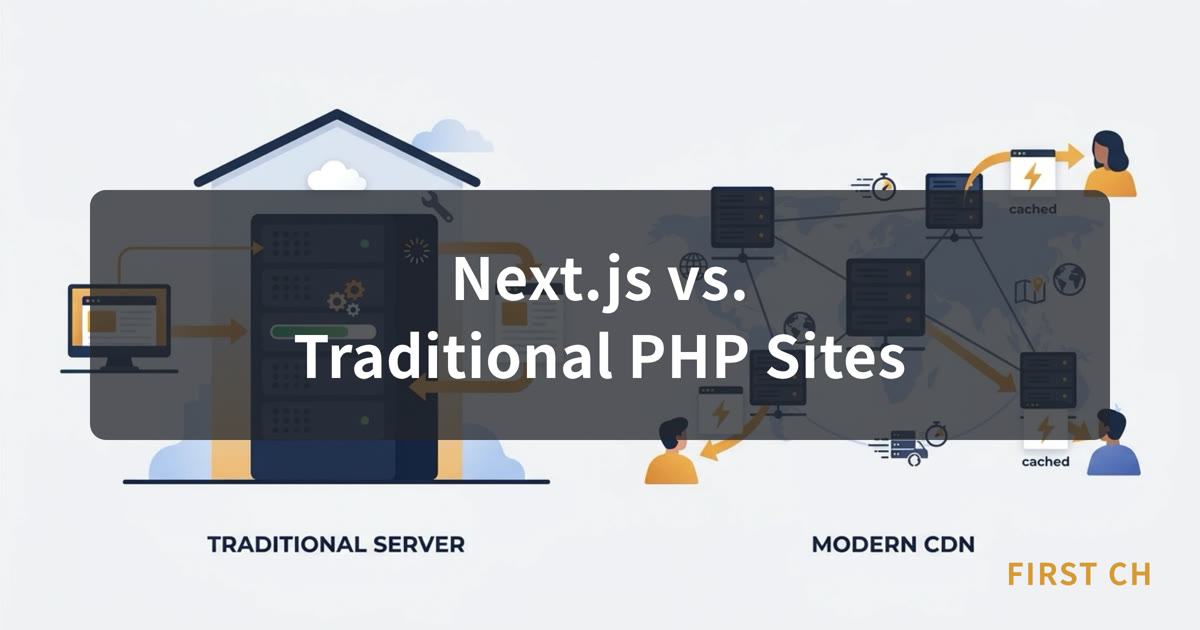
A traditional PHP site runs PHP on the server to assemble and return the HTML every time a visitor accesses a page. If 10 people visit, the same page is built 10 times.
The most common Next.js setup works the other way around: pages are generated once at publishing time, and the finished HTML is simply delivered from a content delivery network (CDN, a network of delivery servers located around the world). Because the server does no processing when a page is requested, pages load faster and the site handles heavy traffic better.
| Traditional PHP site | Next.js (pre-generated setup) | |
|---|---|---|
| How pages are created | Generated on the server for each request | Generated in advance at publishing time, then simply delivered |
| Page speed | Depends on server processing speed | Fast and stable because pages are already generated |
| Traffic spikes | When the server gets overloaded, the whole site slows down | The CDN absorbs the traffic, so the impact is small |
| Attack surface | Programs are always running on the server | The runtime environment is not exposed |
| Server costs | Shared hosting fees (a few hundred to a few thousand yen per month) | Small sites often fit within a free tier |
| How content is updated | Edit files directly and upload them | Depends on the setup (see below) |
This distinction between “generated on each request” and “generated in advance” is not specific to Next.js. We explain the overall concept in detail in The Difference Between Static and Dynamic Websites.

The Real Risk of Old PHP Sites Is a Neglected PHP Version
An outdated look is not actually a big problem. The serious problem is the PHP version running on the server being left on an old version that is no longer supported.
PHP has official support periods. Once a version passes its support end date, no fixes are provided, even when security flaws are found. Support for PHP 5.x and 7.x has already ended, yet sites placed directly on old shared hosting servers often keep running on these old versions.
Unsupported PHP stays exposed to the internet with publicly known flaws that will never be fixed. Tampering and being used as a stepping stone for attacks can happen to any site, regardless of size or name recognition. Automated scanning targets old environments first. If your site has anything that runs on PHP, such as a contact form, start by checking the PHP version in your server’s control panel.
The tricky part is that simply upgrading the version can break old code. Because the language specification has changed, running ten-year-old code as-is on a newer PHP version can cause it to stop with errors. “We want to upgrade but can’t”—this is the typical dead end for old PHP sites.
Moving to a pre-generated setup removes this problem at a structural level. Only pre-generated HTML is delivered, and no programs are running anywhere visitors can access. You can think of it as the server you need to protect no longer being exposed at all.
Maintainability: Escaping Hand-Written Code Only One Person Understood
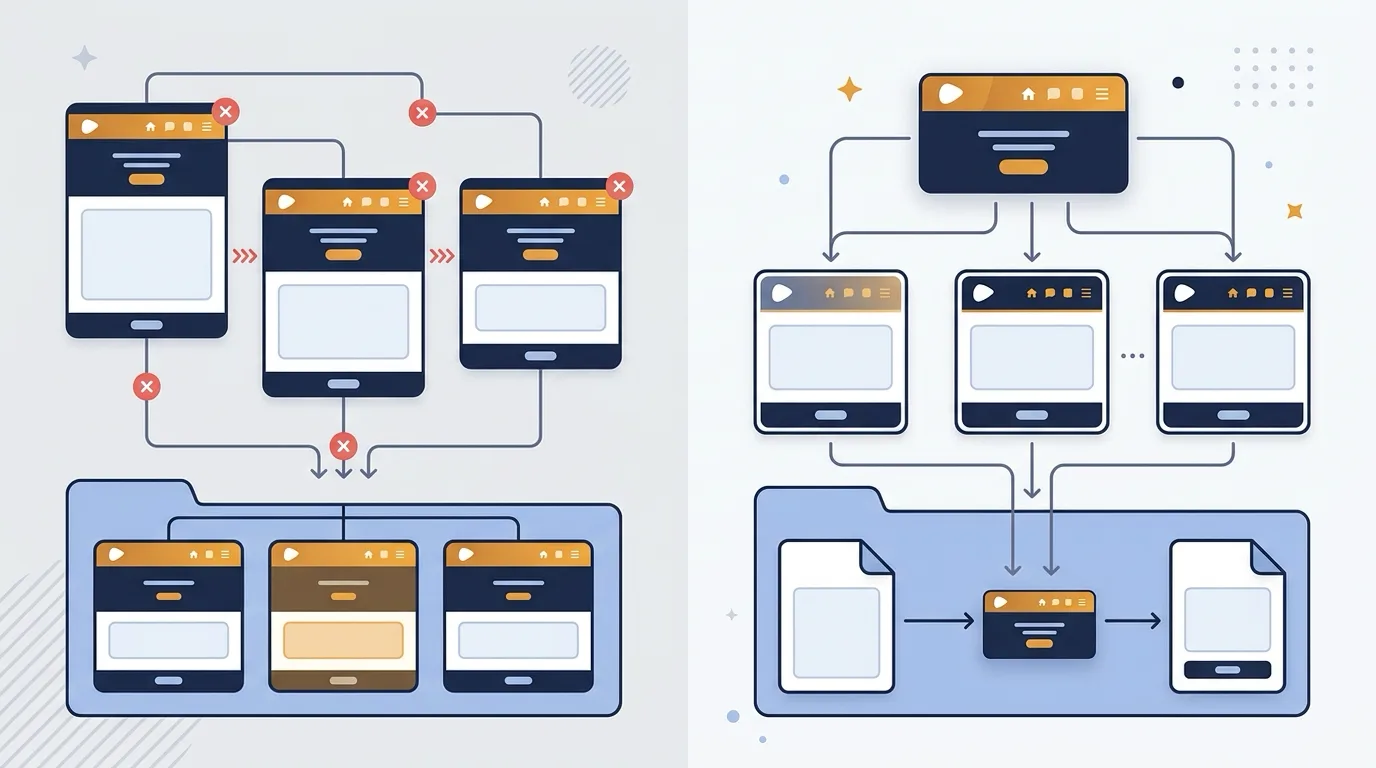
Another problem with old PHP sites is that there is no longer anyone who can fix them. Code written in the personal style of whoever built it at the time has no outside documentation or tests, so even a small change starts with figuring out how the code works. A situation where “just changing the phone number in the header means opening the file for every page” is typical of hand-coded PHP sites.
What changes when you move to Next.js? Shared parts such as the header and footer can be managed as components in one place, so a change is reflected across every page. And because the code follows widely used conventions, the site gets closer to a state where it can be handed over not to one specific person, but to “any developer who knows Next.js.”
To be honest, though, Next.js is not a cure-all.
Next.js is itself a framework that keeps getting updated, and if you leave it alone for a few years it becomes “an old version of Next.js.” The differences are that it has many users, so information and people to hand it over to are plentiful, and that with a pre-generated setup, even if you fall behind on updates, the live site has little surface that can be attacked directly. Think of it not as “safe to neglect,” but as “the damage from neglect is structurally smaller.”
How often you update the site also matters. In a pre-generated setup, every content change requires a regeneration (build) step. If you want to update news frequently in-house, you need to combine the site with a CMS, and the cost will vary depending on how that is designed. We explain how to choose a setup in more detail in The Benefits of Building a Corporate Website with Next.js.
Cost Expectations: Separate Build Costs from Running Costs
Costs are easier to understand if you separate “what you pay at migration time” from “what you pay every month.”
| At migration | Running costs after migration | |
|---|---|---|
| Development costs | Vary widely depending on the number of pages and features | — |
| Server costs | — | A pre-generated setup often costs nothing or only a small amount |
| Domain | Transfer or settings change (keep using your existing domain) | Around a few thousand yen per year (same as now) |
| Maintenance | — | Hire someone, or handle changes as needed if updates are infrequent |
Development costs vary greatly depending on the number of pages on the existing site, features such as forms, and whether you reuse or rewrite the content, so we won’t give definitive amounts in this article. As a rough guide, keep these two points in mind:
- Even just moving the current design over as-is takes close to the effort of building from scratch. The old code can’t be reused, so it is effectively a rebuild
- Running costs often go down, but it takes several years to recover the development cost of the migration. Migrating only because “server costs will go down” doesn’t add up
The value of migrating lies less in cutting costs and more in removing the security risks described above and getting back to a state where someone can fix the site.
Staged Migration: Moving Part of the Site Instead of a Full Redesign
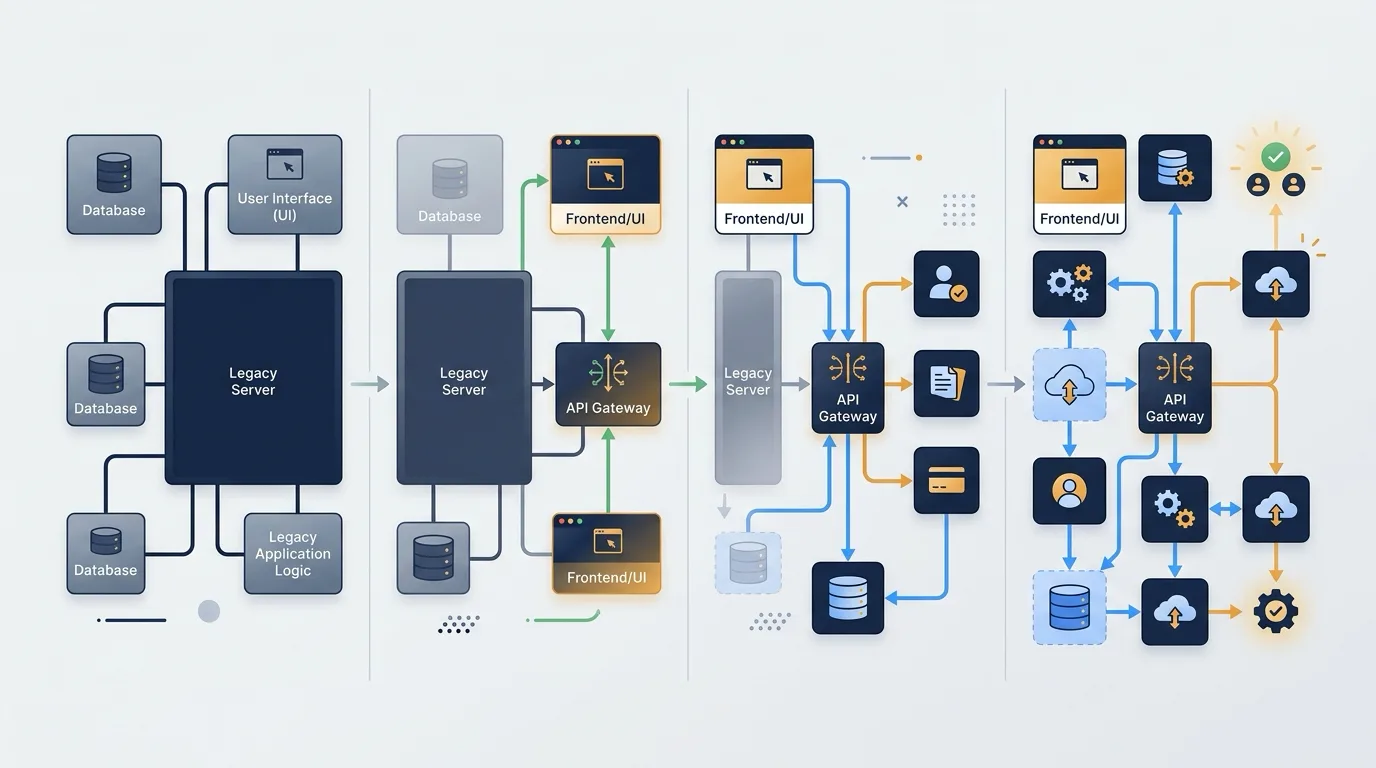
“Rebuilding every page at once” is heavy in terms of both cost and decision-making. In practice, there is the option of migrating gradually, starting with some of the pages.
For example, you could build only a few key pages, such as the homepage, service pages, and company profile, on the new setup and leave the remaining old pages as they are for now. You get the speed and security improvements starting with the pages most visitors see. It is technically possible to design the site so that old and new setups coexist page by page without changing the domain.
The thing to watch with a staged migration is carrying over URLs and search rankings. If the URL of an existing page changes, you will lose search traffic unless you set up forwarding from the old URL to the new one (redirects) for every page without missing any. We cover the steps and precautions for moving a server or site in A Step-by-Step Guide to Server and Site Migration.
Also, if only the contact form is still running on old PHP, the security concern remains as long as it is there. When planning a staged migration, we recommend first identifying every place where PHP is running, and migrating the highest-risk parts first.
Sometimes You Don’t Need to Migrate
We don’t believe every old site should be migrated. If the following conditions apply, keeping things as they are is a reasonable decision.
- The server’s PHP is a currently supported version and continues to be updated
- Someone at your company or at a business partner can update the site
- The site has no dynamic features such as forms, or those are handled by external services
- The site generates few inquiries or sales, so you can’t expect a return on the investment
- The server’s PHP version is no longer supported, or you don’t know how to check it
- You can’t reach the company that built the site, and no one can fix it
- Pages are clearly slow, and the layout breaks on smartphones
- The contact form still runs on an old PHP program
If everything in the first list applies, migrating to Next.js is “something you could do someday,” not a current priority. If several items in the second list apply, we recommend starting with an inventory of the risks before discussing how a redesign should look.
Frequently Asked Questions
- Are PHP sites outdated?
-
PHP itself is an active language that is still being developed, and many sites run on it, including WordPress. The problem is not that a site uses PHP, but that it has been left running on an old, unsupported version with no one able to fix it. There is no need to rebuild a properly maintained PHP site just because of trends.
- How can I check the PHP version of my current site?
-
Shared hosting control panels often have a “PHP version settings” (PHPバージョン設定) section where you can check it. If you can’t log in to the control panel or don’t know your contract details, that situation itself is the first issue to resolve. If you send us your current URL, we can tell you whether there are risks, within the range we can check from the outside.
- When migrating, can I keep using my current domain and email addresses?
-
Yes. You can keep using your domain after the migration, and by setting up forwarding for pages whose URLs change, you can also carry over your search rankings. Email is where you need to be careful: under some contracts, cancelling the server also stops your email. Early in your migration plan, be sure to check which server your email runs on.
- Can we run a Next.js site without an engineer on staff?
-
Yes, but it depends on the design. If you want to update news or a blog in-house, the site needs to be designed from the start to work with a system that lets you edit content from an admin screen (a CMS). If the site is rarely updated, asking the developer only when changes are needed works perfectly well. It’s important to decide “who updates what, and how often” before choosing a setup.
Summary
At its core, the difference between a traditional PHP site and Next.js is whether pages are “assembled on the server every time someone visits, or built in advance and simply delivered.” And the starting point for deciding whether to migrate is not an outdated look, but whether there are risks.
- The serious problem is not the design, but neglected unsupported PHP and having “no one who can fix it”
- A pre-generated setup not only improves speed but also structurally reduces the attack surface
- Measure the return on investment not by “lower server costs,” but by “removing risks and restoring maintainability”
- If a full redesign is too much, you can migrate in stages, starting with key pages
- If a site is well maintained, there’s no need to rush a migration
Starting with an assessment of where things stand is perfectly fine. Send us the URL of the site you’re using now, and we’ll lay out whether there are risks, within the range we can check from the outside, and which parts would be realistic to start with if you do migrate.







