“I want to build a website, but should I choose WordPress, Wix, or Next.js?”
Clients ask me this question all the time. Search online and you’ll find countless articles promoting each one: “Wix lets you build for free,” “Next.js is the fastest,” “WordPress is the standard.” That only makes things more confusing.
I build corporate websites with both WordPress/Swell and Next.js. I don’t offer Wix builds, but clients frequently ask me, “Is it better value to build it myself on Wix or hire a professional?” So I continuously examine Wix’s features, pricing structure, and the performance of real Wix sites. I’m not in a position where I need to sell any one of these, so this is my honest comparison as a developer.
To give you the conclusion up front: for a small business’s corporate website, WordPress is the most well-balanced choice. That said, depending on your budget and situation, Wix or Next.js may be the better fit.
A 30-Second Decision Chart
First, take this quick test to see which tool suits your company.
Q1. What is your website production budget?
→ 100,000 yen or less → Wix is recommended → End
→ 100,000 to 1,000,000 yen → Go to Q2
→ 1,000,000 yen or more → Go to Q3
Q2. After launch, do you want to freely add pages or change the design in-house?
→ Yes, I want to update it myself as much as possible → WordPress is recommended
→ No, I’m fine asking the developer to handle updates → WordPress is recommended (if cost-effectiveness is your top priority, Wix is also an option)
Q3. Do your site’s loading speed and security directly affect your sales?
→ Yes (e-commerce, large-scale media, etc.) → Next.js is worth considering
→ No → WordPress is enough
Most small businesses land on WordPress by Q1 or Q2. And that’s perfectly fine.
What’s the Difference Between the Three Tools, Anyway?
For those who aren’t familiar with the technology, here is a plain explanation of each tool’s characteristics.
WordPress: The World’s No. 1 “All-Purpose Website Builder”
WordPress is the most widely used CMS (content management system, a system for managing and updating a website), powering about 43% of websites worldwide.
Think of it as “choosing from a large selection of custom-home blueprints and then customizing the one you pick.” With an abundance of themes (design templates) and plugins (add-on features), it can meet almost any requirement.
Wix: A “No-Code Website Builder” Anyone Can Use Intuitively
Wix is a service that lets you build a website simply by dragging and dropping in your browser. No programming knowledge is needed at all.
Think of it as “arranging a rental apartment with furniture chosen from what’s provided.” It’s easy to get started, but there are limits to how much freedom you have.
Next.js: A “High-Performance Custom Site” Built from Scratch by Engineers
Next.js is a technology for building a site from scratch using a programming language (React/JavaScript).
Think of it as “building a fully custom-designed home from the ground up.” You can realize your vision 100%, but design and construction require specialist engineers, and it takes both money and time.
A Thorough Comparison Across Five Criteria
Overall Comparison Table
| Criterion | WordPress | Wix | Next.js |
|---|---|---|---|
| ① Production cost | ○ 300,000–800,000 yen | ◎ 0–300,000 yen | △ 800,000–3,000,000 yen |
| ② Flexibility & design | ○ Flexible within the theme | △ Constrained by templates | ◎ Completely free |
| ③ Ease of updating | ◎ Easy via the admin dashboard | ◎ Intuitive to operate | △ Requires a separate CMS |
| ④ SEO | ◎ Robust with plugins | ○ Basic measures possible | ◎ Structurally advantaged |
| ⑤ Extensibility | ◎ Extendable with plugins | △ Limited to Wix’s features | ◎ No constraints |
Below, I explain each criterion in detail.
① Production Cost: Wix Is the Cheapest, Next.js the Most Expensive
| Item | WordPress | Wix | Next.js |
|---|---|---|---|
| 5-page corporate site | 300,000–500,000 yen | 0–150,000 yen | 800,000–1,500,000 yen |
| 10-page corporate site | 500,000–800,000 yen | 100,000–300,000 yen | 1,500,000–3,000,000 yen |
| Monthly operating cost | 6,000–15,000 yen | 1,000–3,000 yen | 5,000–25,000 yen |
Wix does have a free plan, but for a business website you’ll need a custom domain (your company’s own URL) and to remove Wix ads, so a paid plan (around 1,000–3,000 yen per month) is the realistic choice.
To be honest, building it yourself on Wix keeps costs the lowest. However, “cheap” does not mean “best.” Please weigh it together with the drawbacks described later.
② Flexibility & Design: What Do You Want to Achieve, and How Far?
With WordPress, you customize based on a theme (design template). The Swell theme I use covers nearly every design element a small business’s corporate site needs.
With Wix, you choose a design from the provided templates and adjust it by moving elements around. The result looks clean, but it sometimes can’t accommodate detailed requests like “I’d like this part to be a little different.”
Next.js has no design constraints whatsoever. A design drawn in Figma (a design tool) can be reproduced exactly, 100%.
③ Ease of Updating: Imagine Life “After Launch”
| Task | WordPress | Wix | Next.js |
|---|---|---|---|
| Publishing blog posts | ◎ Easy from the admin dashboard | ◎ Drag and drop | △ Posted via a CMS |
| Replacing photos | ◎ From the Media Library | ◎ Replace with a click | △ Via a CMS |
| Adding new pages | ○ Created using templates | ○ Added from templates | × Requires engineering work |
| Changing the design | △ Possible within the theme | ○ Changed by drag and drop | × Requires engineering work |
My honest view as a developer: WordPress and Wix are overwhelmingly easier to update. WordPress in particular lets you publish articles as easily as writing a blog, so even people who aren’t tech-savvy can master it quickly.
With Next.js, you bring in an external service such as microCMS for publishing articles, but adding pages or changing the design requires asking an engineer.
④ SEO: Will You Rank High in Search Results?
| Item | WordPress | Wix | Next.js |
|---|---|---|---|
| Meta tag settings | ◎ Easy with plugins | ○ Possible from the settings screen | ◎ Fully flexible through programming |
| Core Web Vitals | ○ Good, depending on the theme | △ Tends to be somewhat heavy | ◎ Structurally high scores |
| Structured data | ◎ Supported via plugins | △ Limited support | ◎ Can be implemented freely |
| Sitemap | ◎ Auto-generated | ◎ Auto-generated | ○ Implemented through programming |
No matter which tool you use, ranking high is difficult without quality content.
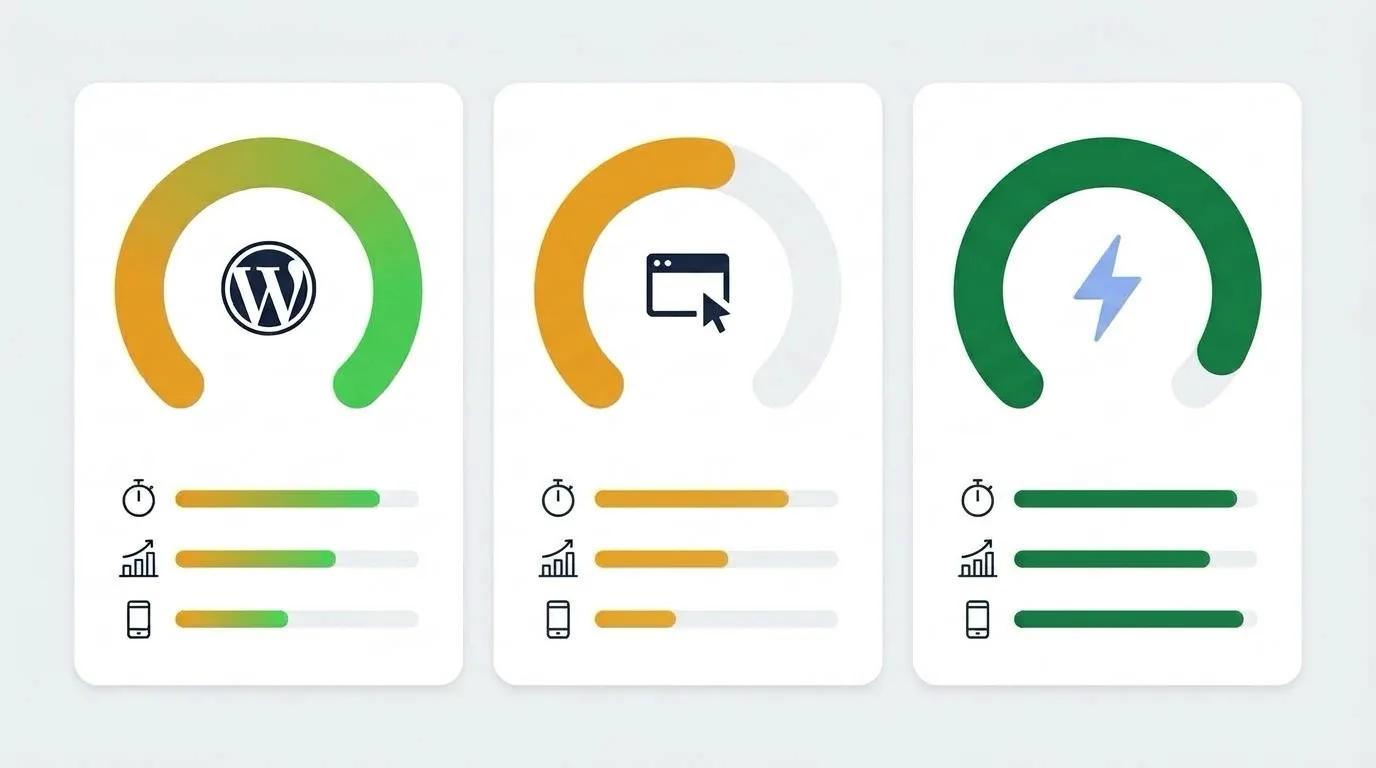
That said, Wix tends to load somewhat more slowly than WordPress or Next.js. Because this can affect Google’s Core Web Vitals (metrics for evaluating loading performance), WordPress or Next.js has the advantage if SEO is a priority.
⑤ Extensibility: Can It Keep Up with Future Growth?
| Requirement | WordPress | Wix | Next.js |
|---|---|---|---|
| Adding e-commerce features | ◎ WooCommerce, etc. | ○ Built-in Wix features | ◎ Build freely |
| Membership sites | ◎ Supported via plugins | △ Basic features only | ◎ Build freely |
| Multilingual support | ◎ Supported via plugins | ○ Supported via Wix Multilingual | ◎ Implement freely |
| Integration with external services | ◎ Plenty of APIs and plugins | △ Only what Wix supports | ◎ No constraints |
WordPress has more than 60,000 plugins, so you can add almost any feature later. E-commerce, membership sites, booking systems, and more: you can extend it as your business grows.
With Wix, extensions are limited to the features Wix provides. Even if you think, “I want to add this feature,” it can’t be done if Wix doesn’t support it. This is its biggest constraint.
Next.js has no technical constraints, but every extension requires engineering work.
Web制作・システム開発は
First CHにお任せください
「こんなWebサイトが欲しい」「このシステムは実現できる?」——
現役エンジニアが直接お話を伺い、最適な進め方をご提案します。
「まだ構想段階」「費用感だけ知りたい」というご相談も歓迎です。
Recommendations by Budget: The Best Tool for You
Budget of 100,000 Yen or Less → Build It Yourself on Wix, or Hire a Pro for Part of It
If your budget is limited, building it yourself on Wix is the realistic option. Choose a template, enter your information, and you’ll end up with a reasonably decent site.
- Low design flexibility (it tends to look “amateurish”)
- Limited SEO capabilities (especially loading speed)
- Low future extensibility (migrating away from Wix basically means “rebuilding from scratch”)
If you can accept the trade-off—”having a website at all is the top priority” and “I’ll rebuild it into a proper site once I have the budget”—Wix is a valid option.
Budget of 300,000–800,000 Yen → WordPress, No Contest
In this budget range, WordPress has the field to itself.
You can have a professional build a high-quality corporate site for a small business (around 5–10 pages). With the Swell theme, you can achieve high standards in loading speed, SEO, and design alike.
To be honest, most of the clients who consult me fall into this budget range, and I recommend WordPress to almost all of them.

Budget of 1,000,000 Yen or More → Next.js Is Worth Considering
Once your budget exceeds 1,000,000 yen, Next.js becomes a realistic option.
- Sites where loading speed directly affects the business (e-commerce, media, etc.)
- When a fully original design is required
- When there are plans to extend the site into a web application in the future
However, even with a budget of 1,000,000 yen or more, WordPress is the better fit for most small businesses. Next.js isn’t something you “should choose if you have the budget”; it’s something you choose “when you have requirements that only Next.js can meet.”
Total Cost Comparison Over Three Years
It’s wise to compare not only the initial cost but the total cost over three years.
For a 5-Page Corporate Site
| Item | WordPress | Wix (hire a pro) | Wix (DIY) | Next.js |
|---|---|---|---|---|
| Initial production cost | 350,000 yen | 150,000 yen | 0 yen | 1,000,000 yen |
| Theme/tool cost (initial) | 18,000 yen | 0 yen | 0 yen | 0 yen |
| Monthly cost (server, etc.) | Approx. 10,000 yen/month | Approx. 2,000 yen/month | Approx. 2,000 yen/month | Approx. 15,000 yen/month |
| Maintenance cost | Approx. 7,000 yen/month | None | None | Approx. 10,000 yen/month |
| Total cost, year 1 | Approx. 570,000 yen | Approx. 170,000 yen | Approx. 24,000 yen | Approx. 1,300,000 yen |
| Total cost over 3 years | Approx. 980,000 yen | Approx. 220,000 yen | Approx. 72,000 yen | Approx. 1,900,000 yen |
Looking at the numbers alone, building it yourself on Wix seems overwhelmingly cheaper. But I’ll explain in the next section why “cheap” doesn’t mean “best.”
The Pitfalls of Wix: What I Want to Tell You Honestly as a Developer
Wix is a great service, but there are drawbacks you should know about when using it for a business website.
“Moving Away from Wix” Is Nearly Impossible
This is the biggest problem. The design and content of a site built on Wix cannot be migrated as-is to WordPress or Next.js. If you want to switch to another tool in the future, you’ll have to rebuild from scratch.
With WordPress, your content (the contents of posts and pages) carries over even if you change themes. Migrating to Next.js can also make use of your WordPress data.
Limits on Loading Speed
Because of how the service works, Wix tends to load more slowly than WordPress or Next.js. In PageSpeed Insights (Google’s loading-speed measurement tool), mobile scores often land in the 50s to 70s, which can be a minus from an SEO perspective.
The Risk That It Never Truly “Belongs to You”
A site built on Wix exists on top of the Wix platform. If Wix were to shut down the service or raise prices sharply, your company’s website could effectively be held hostage.
WordPress is open source (technology anyone can use for free), and you can move your site as-is even if you change servers. This difference in “ownership” is extremely important in the long run.
Frequently Asked Questions
Do sites built with Wix look “amateurish”?
Honestly, just using a template as-is tends to give it an “amateur” feel. However, if you hire a professional to design it on Wix, you can get a perfectly polished site. The problem is that if you’re going to spend money on a professional, WordPress is often the better value.
Isn’t WordPress difficult?
“Building” a WordPress site requires specialist knowledge, but “updating and running” it is very easy. If you’ve ever written a blog, you’ll master it quickly. Have a professional build it and handle day-to-day updates in-house—that’s the most efficient way to use WordPress.
What about Jimdo or Peraichi?
Jimdo and Peraichi fall into the same “no-code service” category as Wix. Their characteristics are also similar to Wix, and they share the trait that ease of use comes at the cost of limited flexibility and extensibility. A realistic approach is Peraichi for a single-page landing page, Wix or Jimdo for a site of a few pages, and WordPress for a full-fledged site.
Can I switch tools partway through?
WordPress → Next.js is technically possible, but it costs about as much as the original production. Wix → WordPress/Next.js means rebuilding from scratch. This is why choosing the right tool from the start matters.
Summary: Choose Your Tool with Not Just “Now” but “Three Years from Now” in Mind
| Your situation | Recommended tool | Reason |
|---|---|---|
| Budget of 100,000 yen or less, just want a site to start | Wix | Keeps initial costs to a minimum |
| Small business, budget of 300,000–800,000 yen | WordPress | Best balance of cost-effectiveness, flexibility, and extensibility |
| Loading speed is a priority, budget of 1,000,000 yen or more | Next.js | Top-tier performance and security |
| Want to update it yourself, limited IT knowledge | WordPress | The admin dashboard is intuitive and easy to use |
| Want to add e-commerce or membership features in the future | WordPress | Flexibly extendable with plugins |
The most important thing in choosing a tool is to imagine not only “your current budget” but also “your company three years from now.”
If you choose Wix just because it’s cheap and a year later decide, “I really want to rebuild it with WordPress,” you’ll end up paying twice. Conversely, choosing Next.js when you don’t need it means wasting your budget.
If you’re unsure, choose WordPress. There are very few cases where people regret starting with WordPress.
“Which tool is right for us?”—we welcome consultations about technology selection alone. We’ll propose the best choice from the perspectives of both WordPress and Next.js.
Web制作・システム開発は
First CHにお任せください
「こんなWebサイトが欲しい」「このシステムは実現できる?」——
現役エンジニアが直接お話を伺い、最適な進め方をご提案します。
「まだ構想段階」「費用感だけ知りたい」というご相談も歓迎です。